- Click Settings underneath profile menu in upper right corner of Teams app.
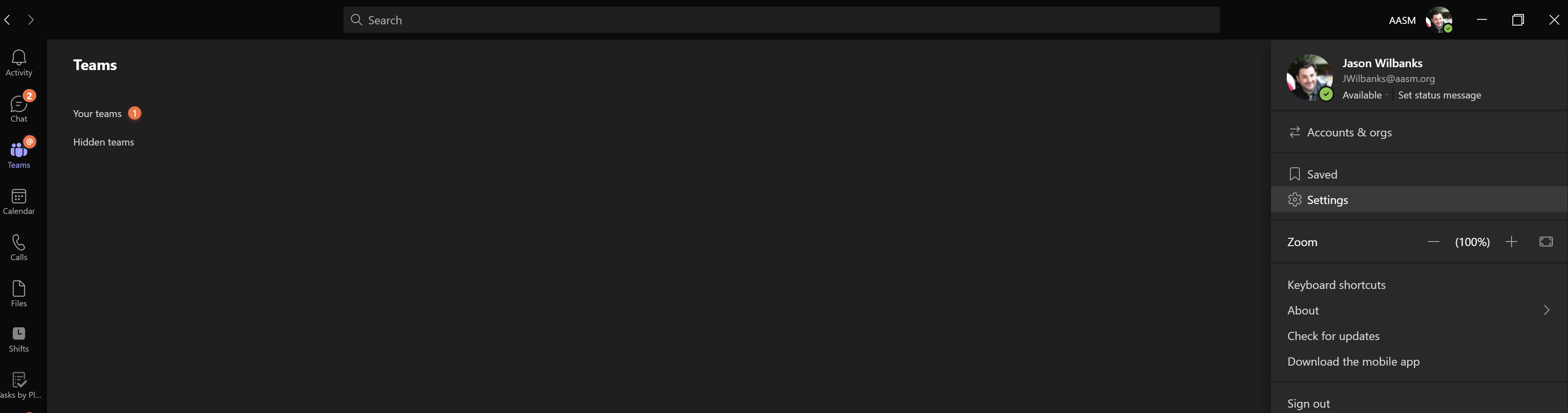
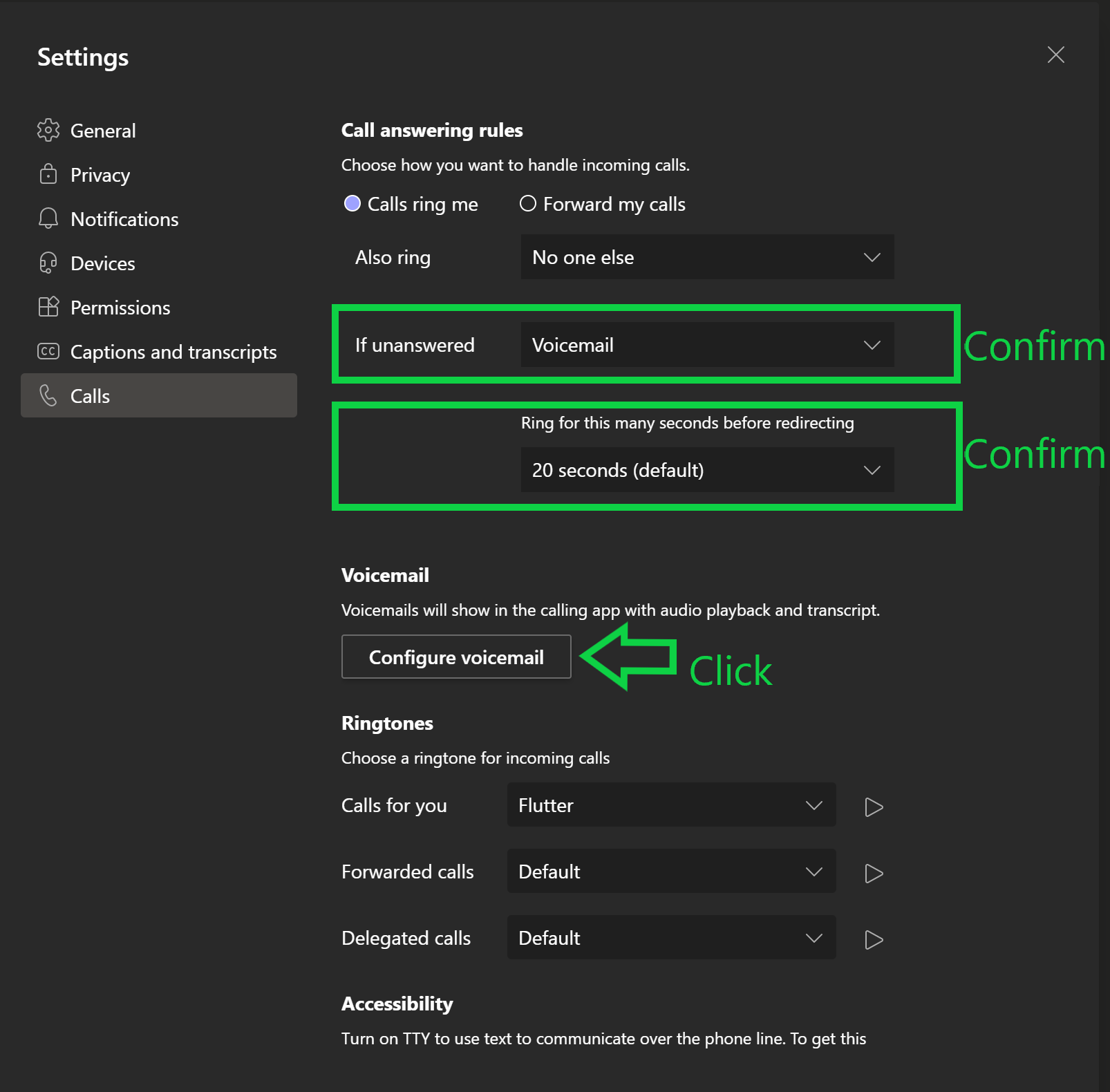
- Navigate to Calls tab in Settings menu.
- Confirm the following Call Answering rules are set to "If unanswered = Voicemail" and "Ring for this many seconds = 20 seconds"
- Click Configure Voicemail button and follow voice prompts to record voicemail greeting.
- Once you've recorded your voicemail greeting please test your voicemail greeting by calling you direct phone number from your cell phone and let it ring until your voicemail kicks in. (Your direct phone number can be found above the Dial Pad in the Calls section of Teams)
Was this article helpful?
That’s Great!
Thank you for your feedback
Sorry! We couldn't be helpful
Thank you for your feedback
Feedback sent
We appreciate your effort and will try to fix the article