SOP: Processing AASM Link Organization Subscriptions Using a Temporary No-Discount Tag Workaround
Objective
This SOP explains how to process AASM Link organization subscriptions in a way that prevents member discounts from being applied during checkout. It also covers how to automatically remove the temporary discount-blocking tag after payment so the customer regains normal member pricing for future purchases.
Key Steps
1. Create the reusable quick checkout link 0:18
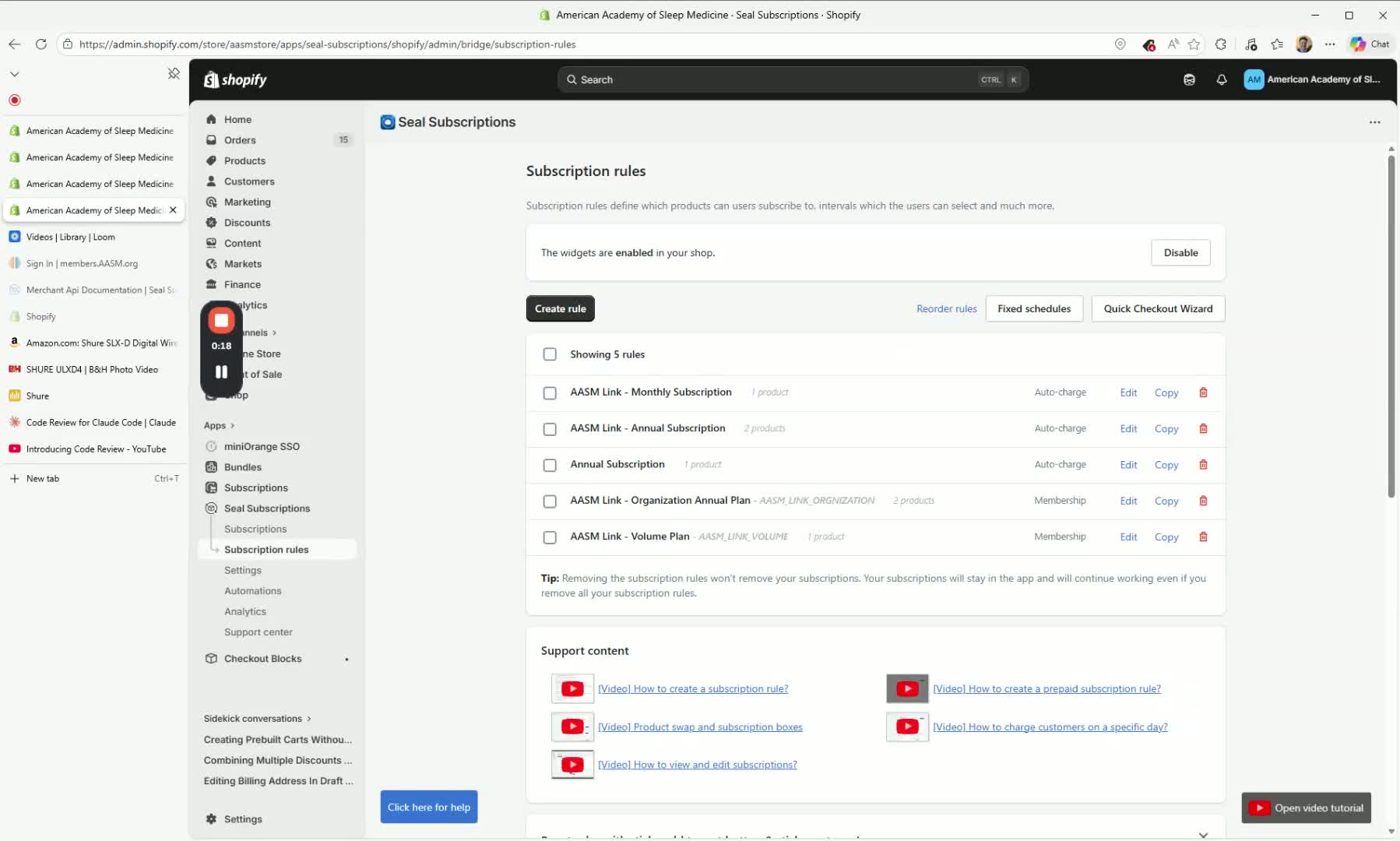
Open the Seal Subscriptions app.
Go to Subscription Rules.
Select Quick Checkout Wizard.
Search for AASM Link and locate the organization product.
Choose the correct selling plan, such as the annual subscription.
Generate the checkout link.
Important: This link is reusable and only needs to be created once.
2. Confirm the member discount issue at checkout 1:11
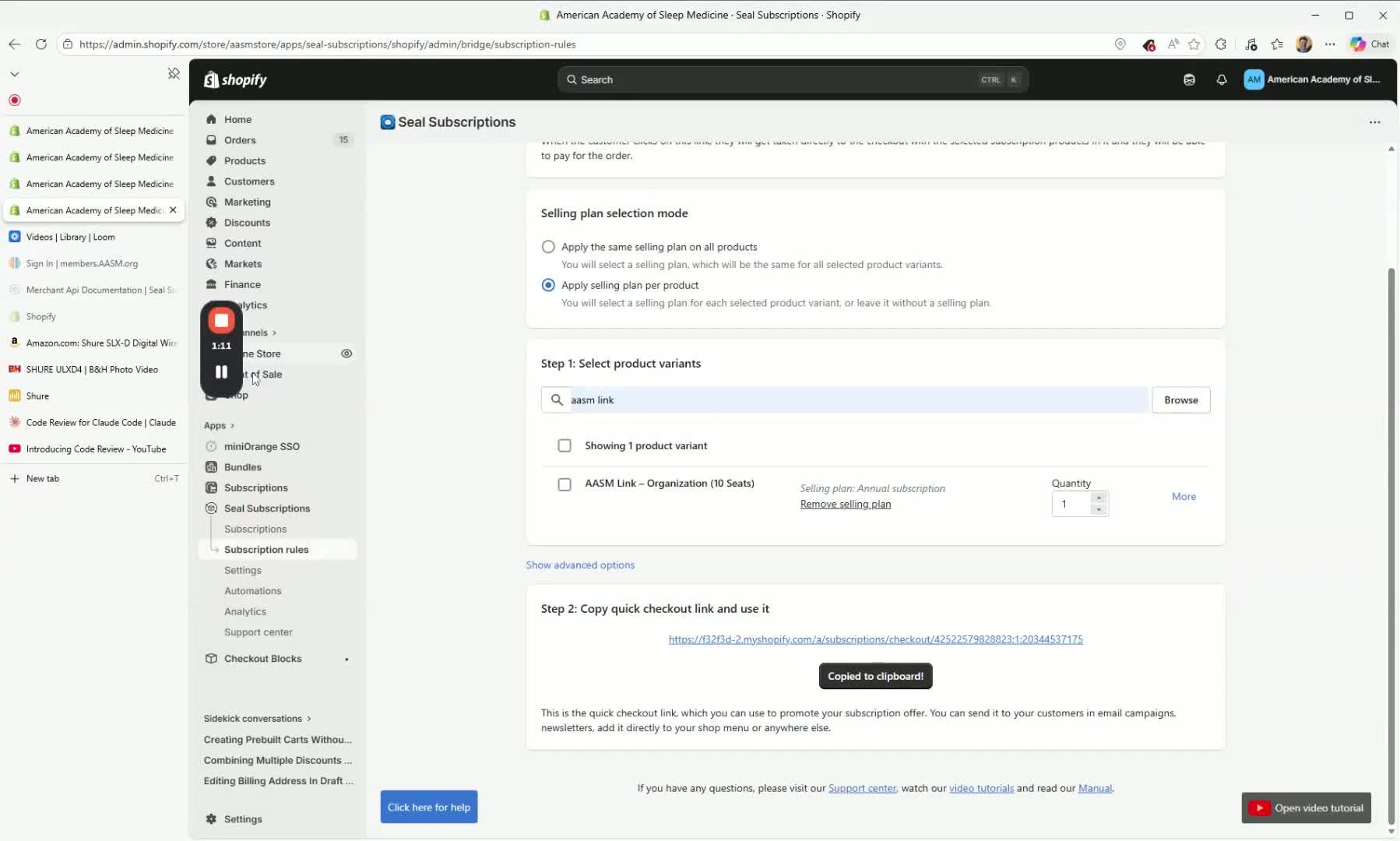
Open the generated quick checkout link.
Log in using a customer account that is also a member/employee account.
Verify that the checkout auto-loads with the member discount applied.
Recognize that this discount must be prevented for organization subscription purchases.
3. Apply the temporary no-discount customer tag 2:03
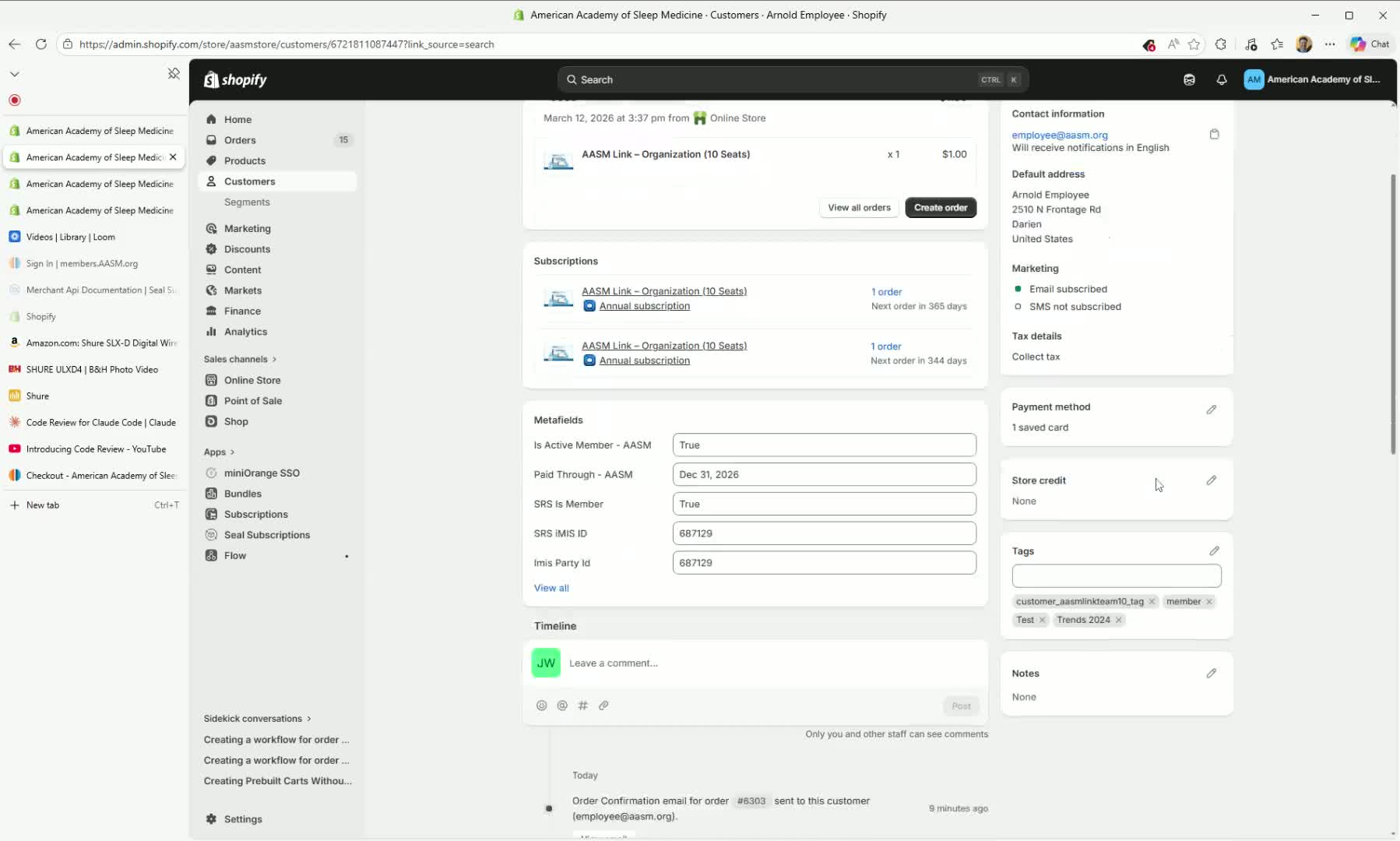
When a customer is purchasing an organization subscription, have a staff member handle the request.
Inform the customer that a checkout link will be sent to capture payment.
Add the temporary tag
temp no-member discountto the customer record.This tag should override the normal discount logic so the member discount does not apply during this purchase window.
4. Send the quick checkout link to the customer 2:59
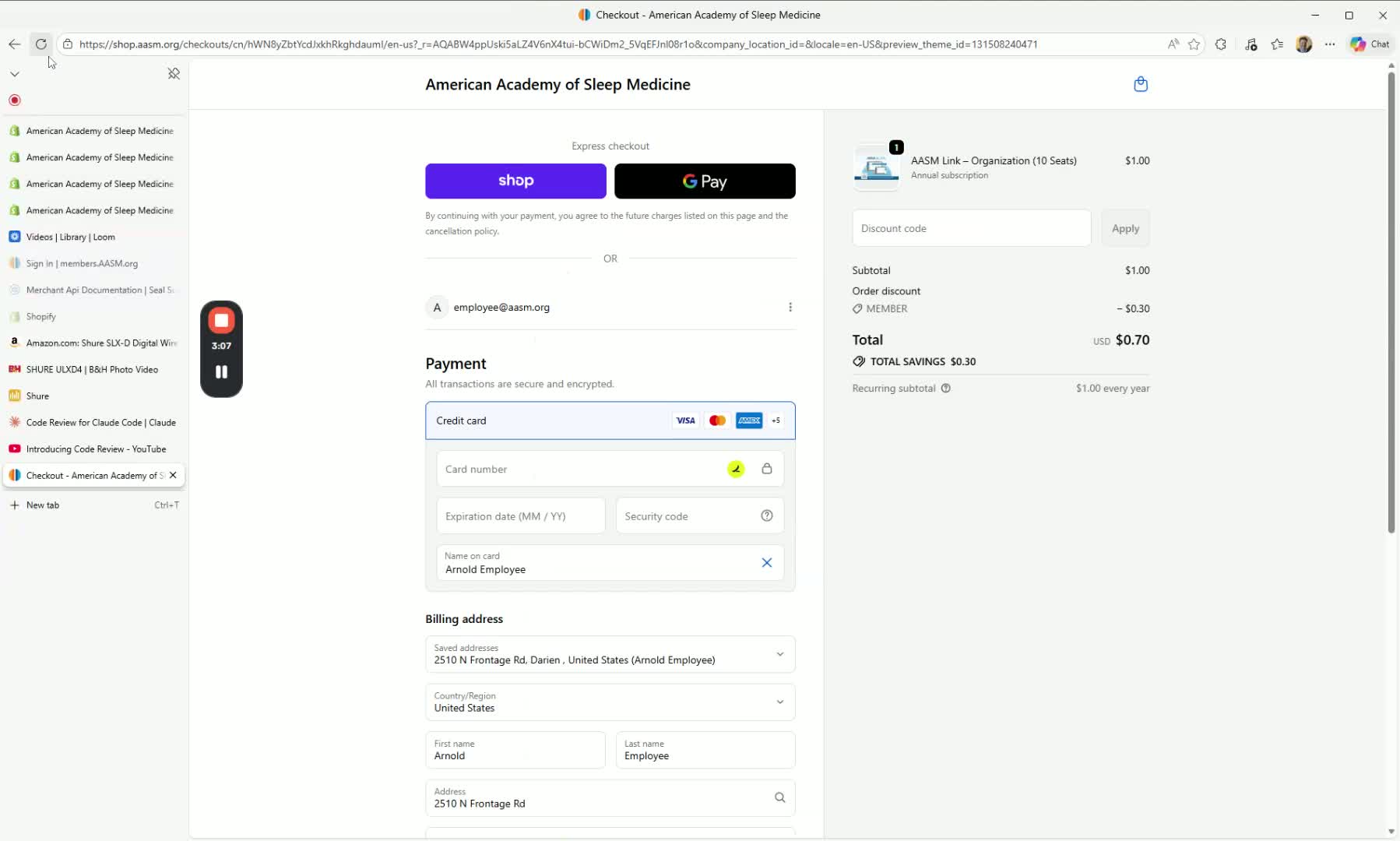
After applying the temporary tag, send the reusable quick checkout link to the customer.
Ask the customer to complete checkout using the link.
Refresh the checkout page if needed to confirm the member discount is no longer visible.
Verify the customer is charged at the normal subscription rate.
5. Automatically remove the temporary tag after payment 3:20
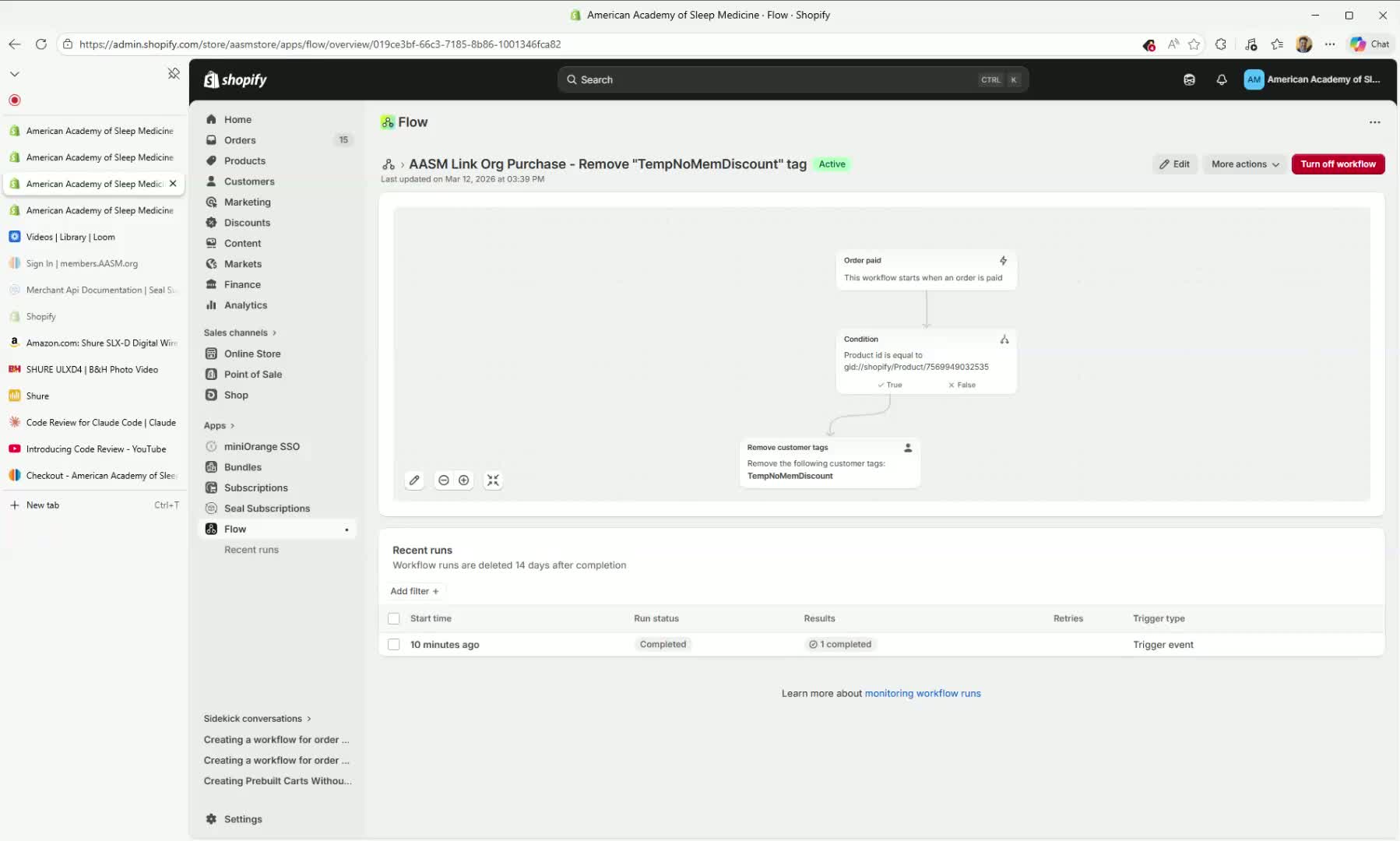
Confirm that a Shopify Flow is configured to trigger when an order is paid.
Ensure the flow checks whether the order contains the AASM Link Org product.
If the product is present, the flow should automatically remove the
temp no-member discounttag.This restores the customer’s normal member discount eligibility for future non-subscription purchases.
6. Verify subscription setup and renewal behavior 3:57
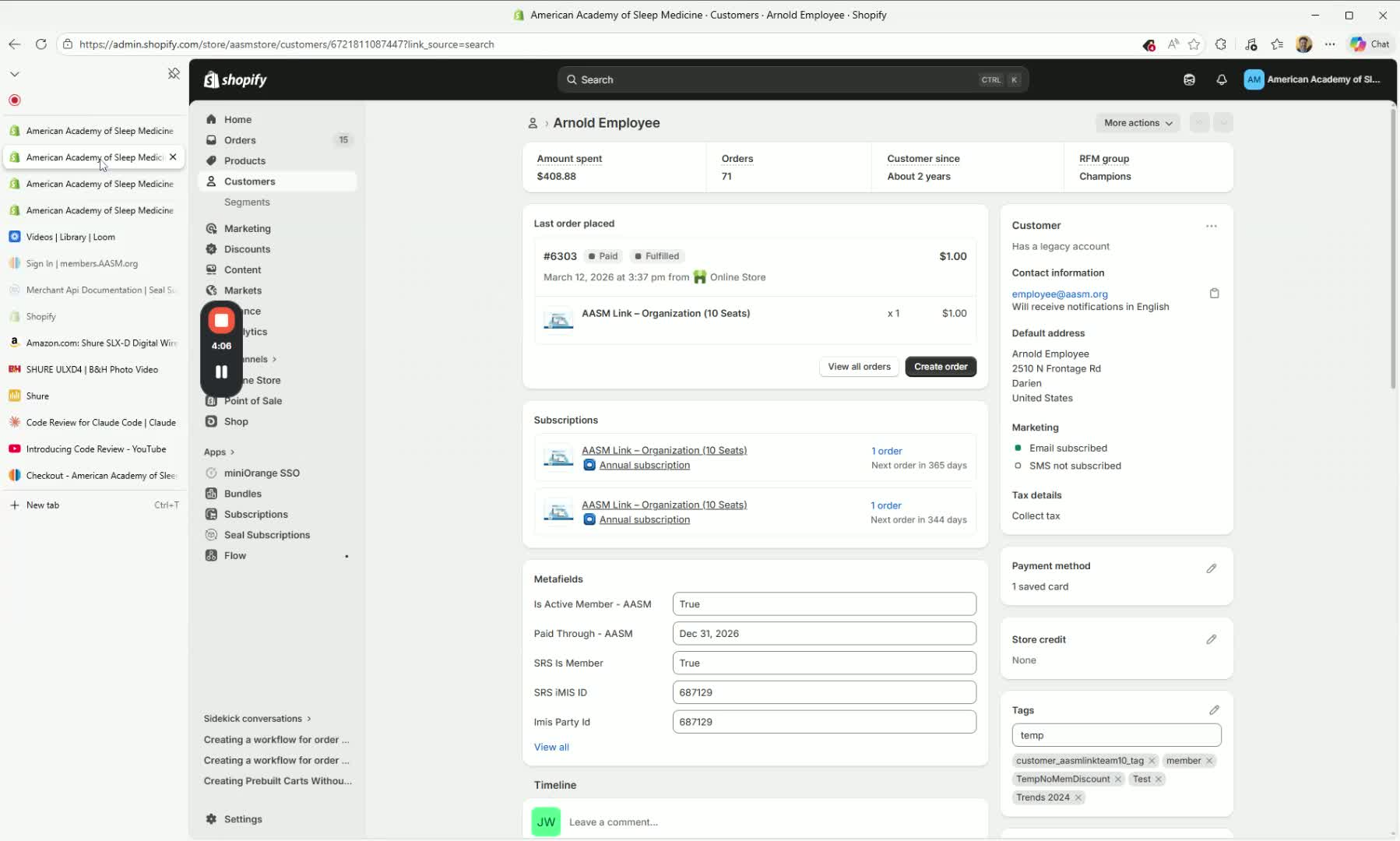
Confirm the workaround has been tested and is functioning correctly.
Verify that the customer’s credit card is captured during checkout.
Confirm annual renewals will process automatically through Seal Subscriptions.
Note that subscription billing is now contained within the normal subscription workflow.
7. Coordinate AASM Link access and seat distribution 4:16
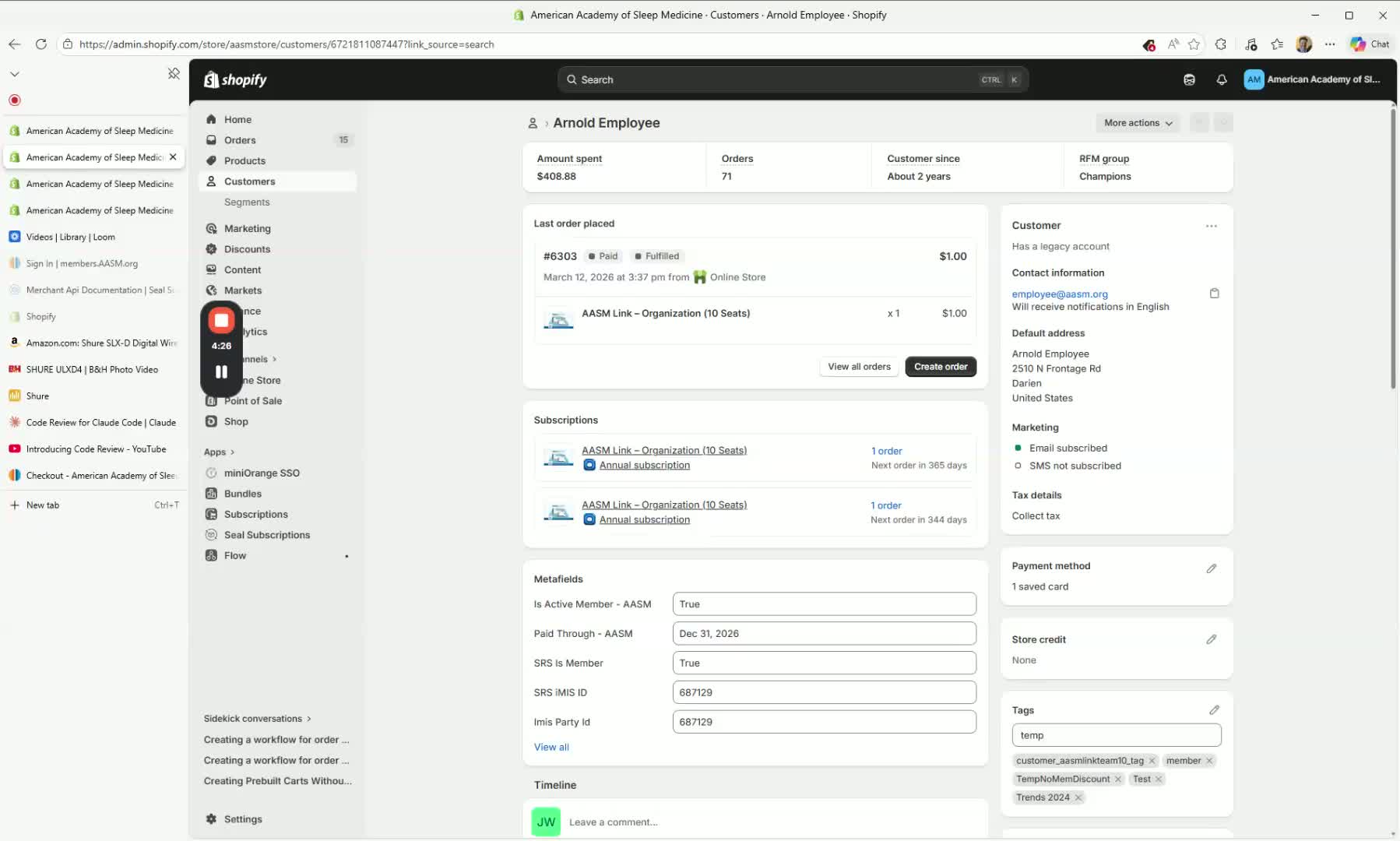
Review the AASM Link side of the process separately.
Ensure the system or team responsible for AASM Link access is updated to recognize the new product.
Confirm access permissions and seat distribution are handled appropriately for organization subscribers.
Treat this as a separate implementation step from the subscription checkout workaround.
Cautionary Notes
Do not leave the temporary
temp no-member discounttag on the customer after payment is complete.Make sure the Shopify Flow only removes the tag when the paid order contains the correct AASM Link Org product.
Confirm the quick checkout link is tied to the correct product and annual selling plan before sending it to customers.
This SOP addresses the subscription checkout workaround only; AASM Link access provisioning still needs to be handled separately.
Test the process before using it with live customers to avoid discount or billing errors.
Tips for Efficiency
Create the quick checkout link once and reuse it for all eligible customers.
Use a consistent customer tag name so staff can apply and remove it quickly.
Keep the Shopify Flow automated to reduce manual cleanup after each purchase.
Have a standard staff script ready for explaining why the customer is receiving a checkout link.
Verify the checkout page after tagging to ensure the discount is removed before sending the link.
Link to Loom
Was this article helpful?
That’s Great!
Thank you for your feedback
Sorry! We couldn't be helpful
Thank you for your feedback
Feedback sent
We appreciate your effort and will try to fix the article