Bulk Update Subscriber Preferences in Engage
Objective
This SOP outlines the steps to bulk update subscriber preferences for reinstated members in Engage, ensuring they receive the correct daily digest settings after renewing their membership.
Link to Loom
https://loom.com/share/a93b0743365b42978469a777ce135387
Key Steps
Step 1: Identify the Problem 0:00
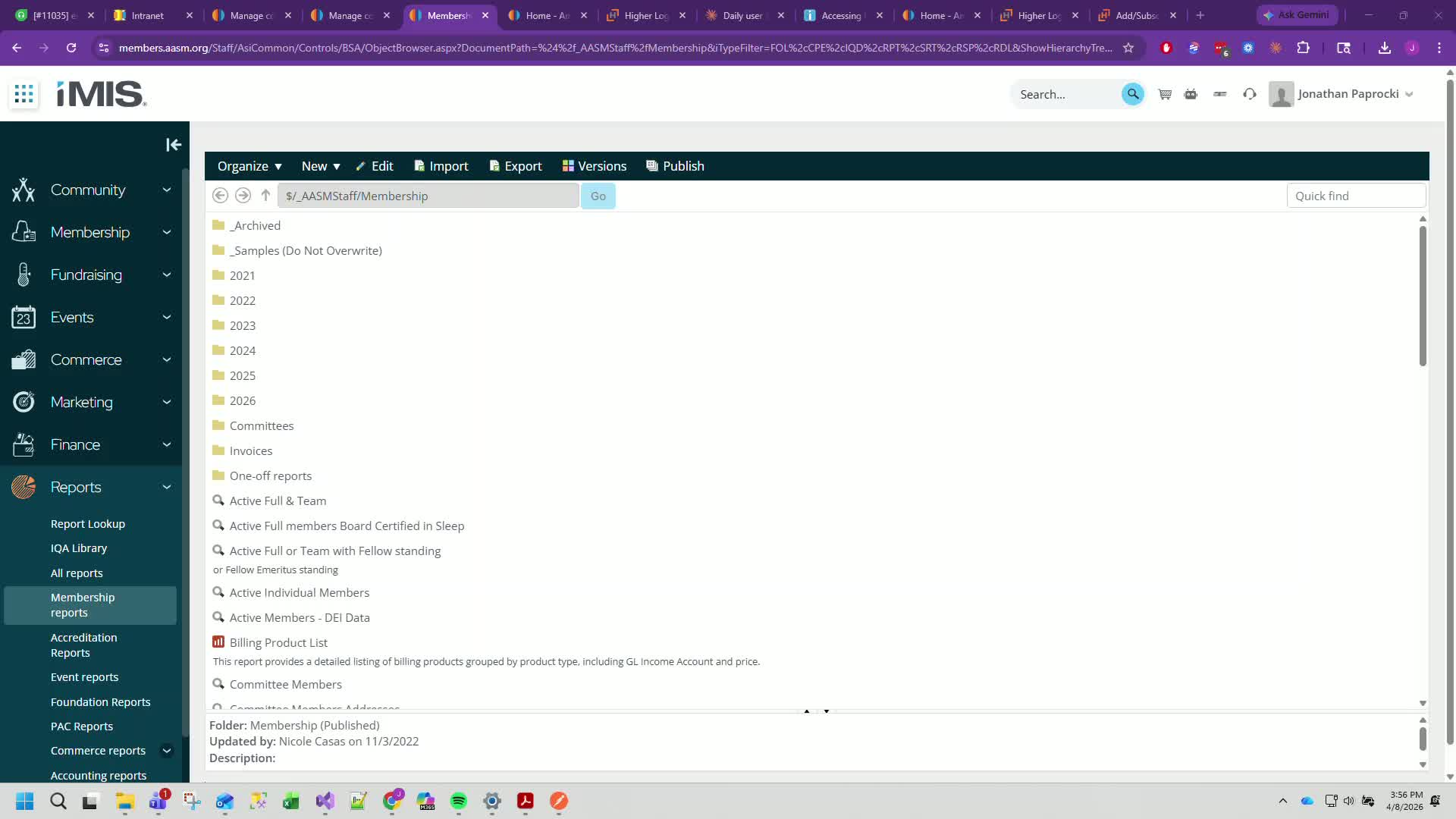
Understand that when a member is dropped from the members forum and renews their membership, their daily digest settings are removed.
This SOP addresses how to reapply those settings.
Step 2: Access Membership Reports 0:56
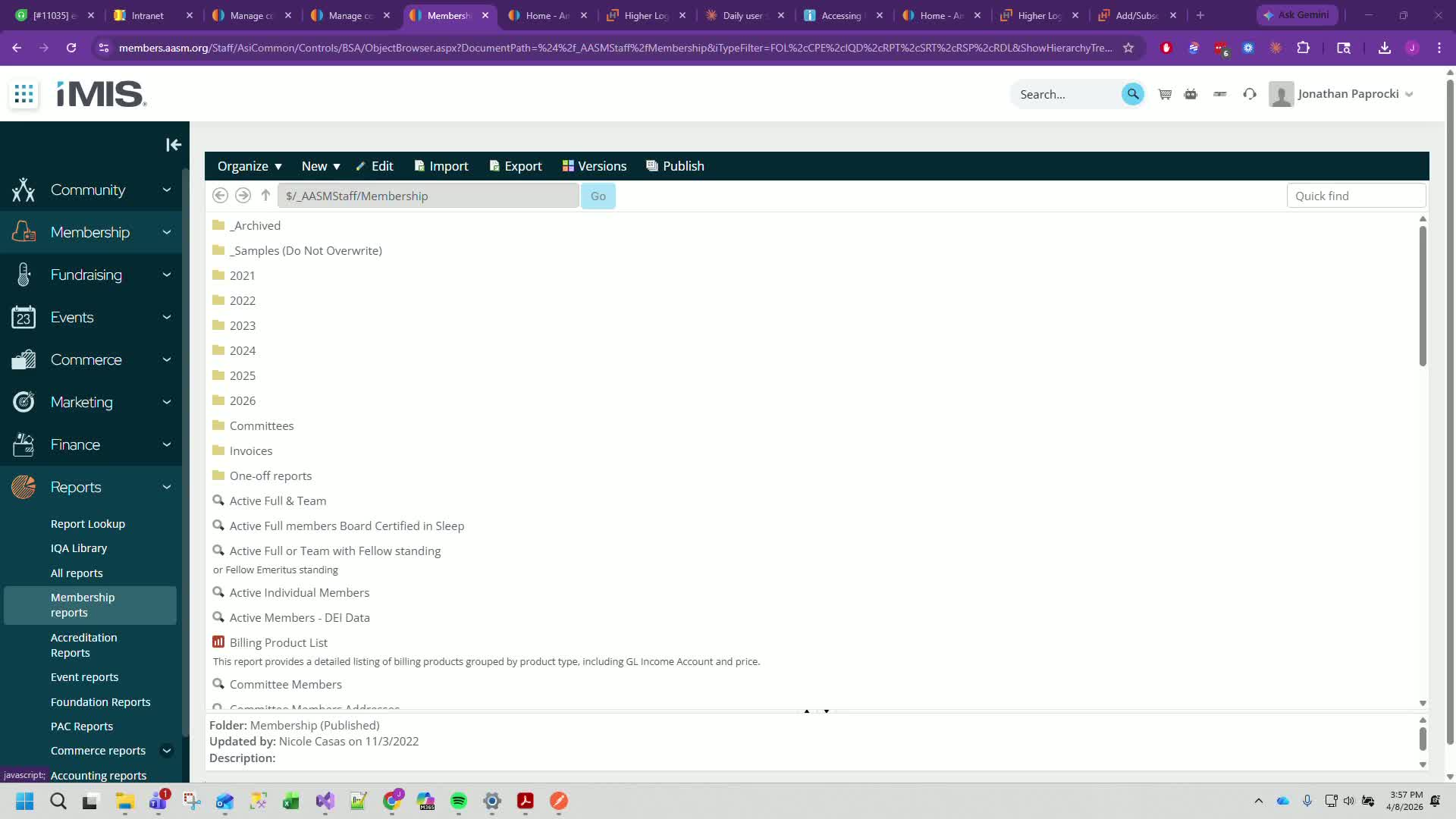
Navigate to Reports > Membership Reports > Samples.
Locate and select the new IQA named 'Resubs for EngageDigest'.
Step 3: Run the Report 1:11
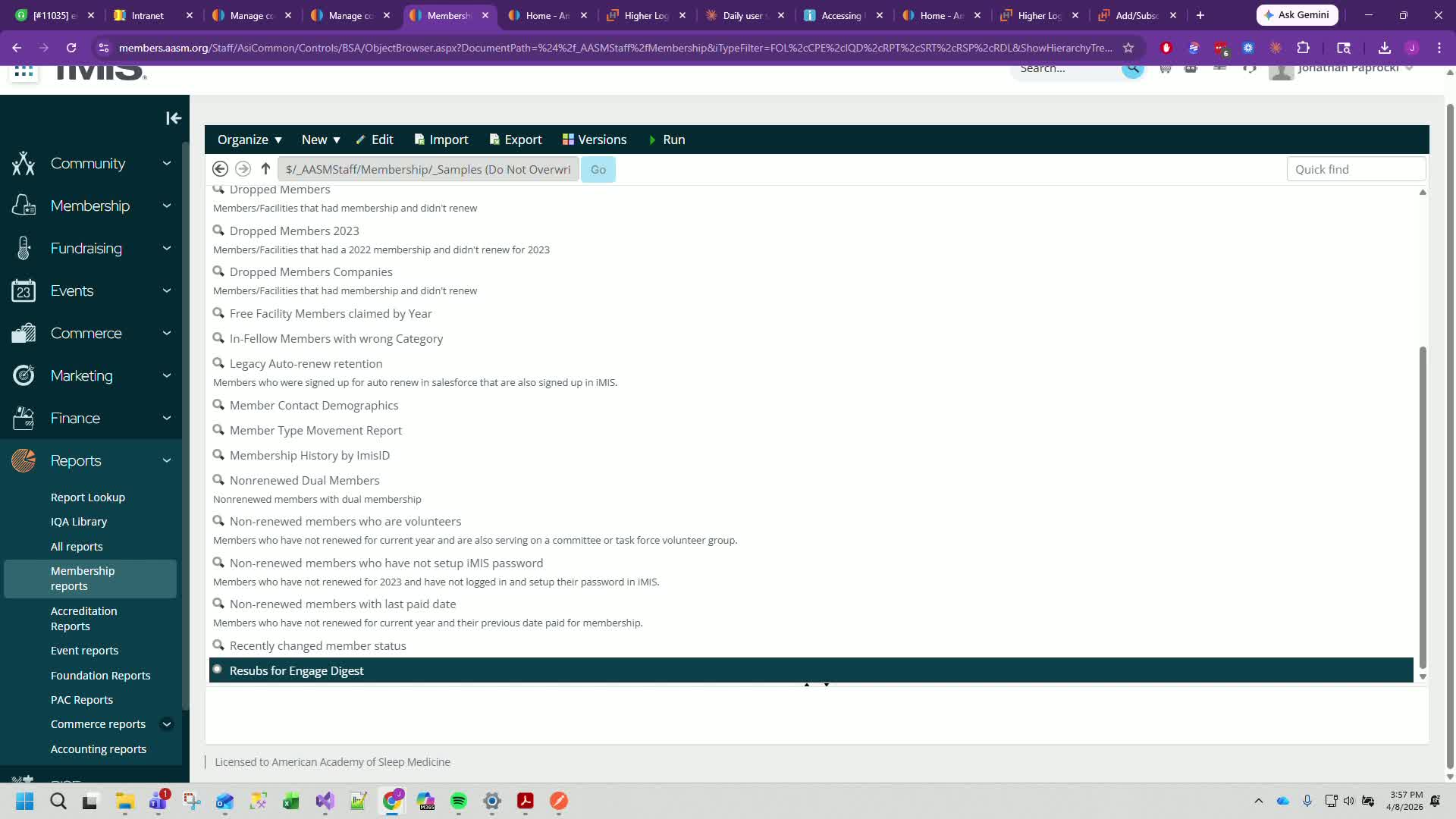
Adjust the date range to exclude the current date to ensure all reinstated members are captured.
Click 'Find' to generate the report.
Step 4: Export the Report 2:20
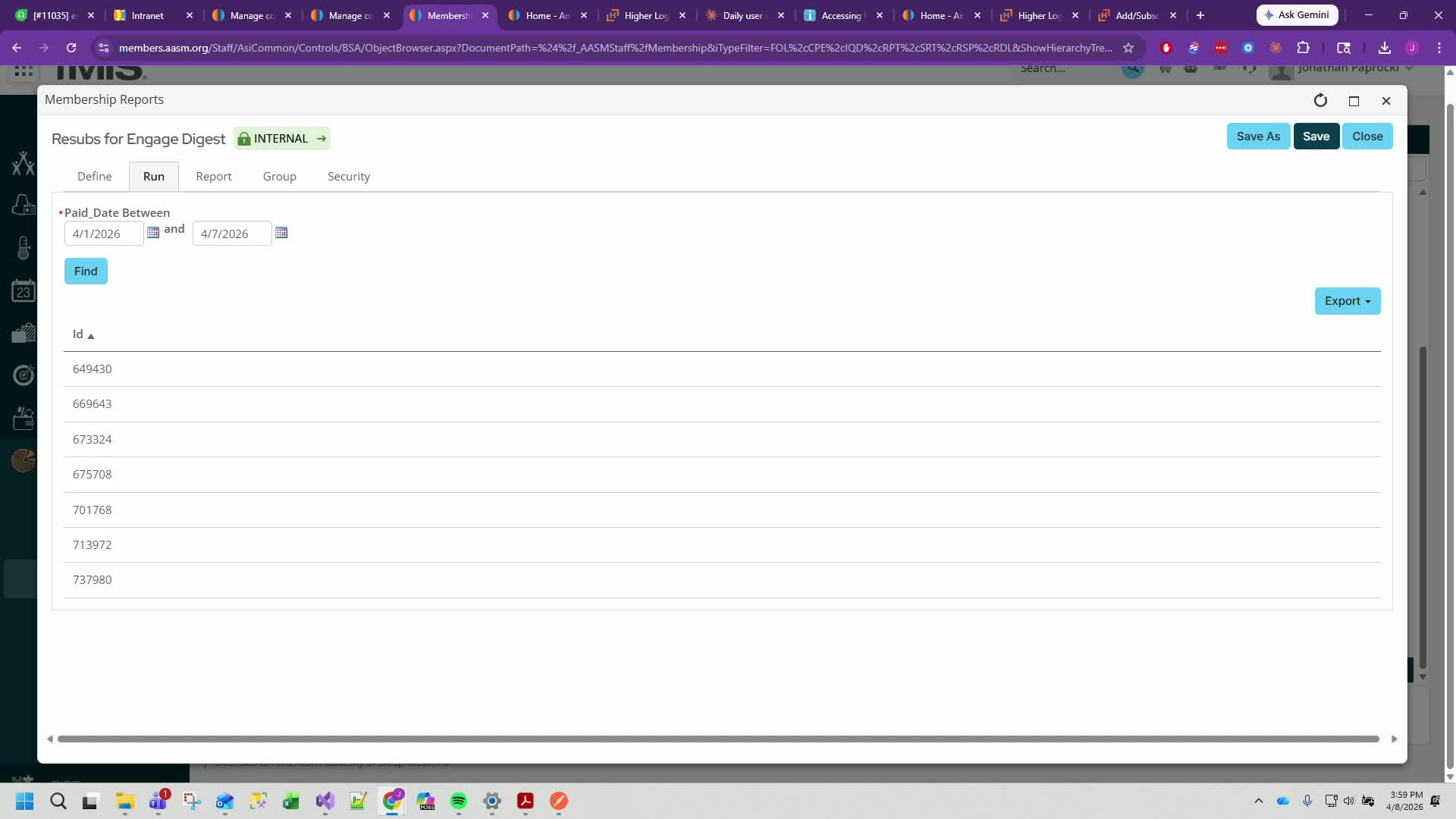
Export the generated list as a CSV file.
Step 5: Prepare the Resubscribe Template 2:38
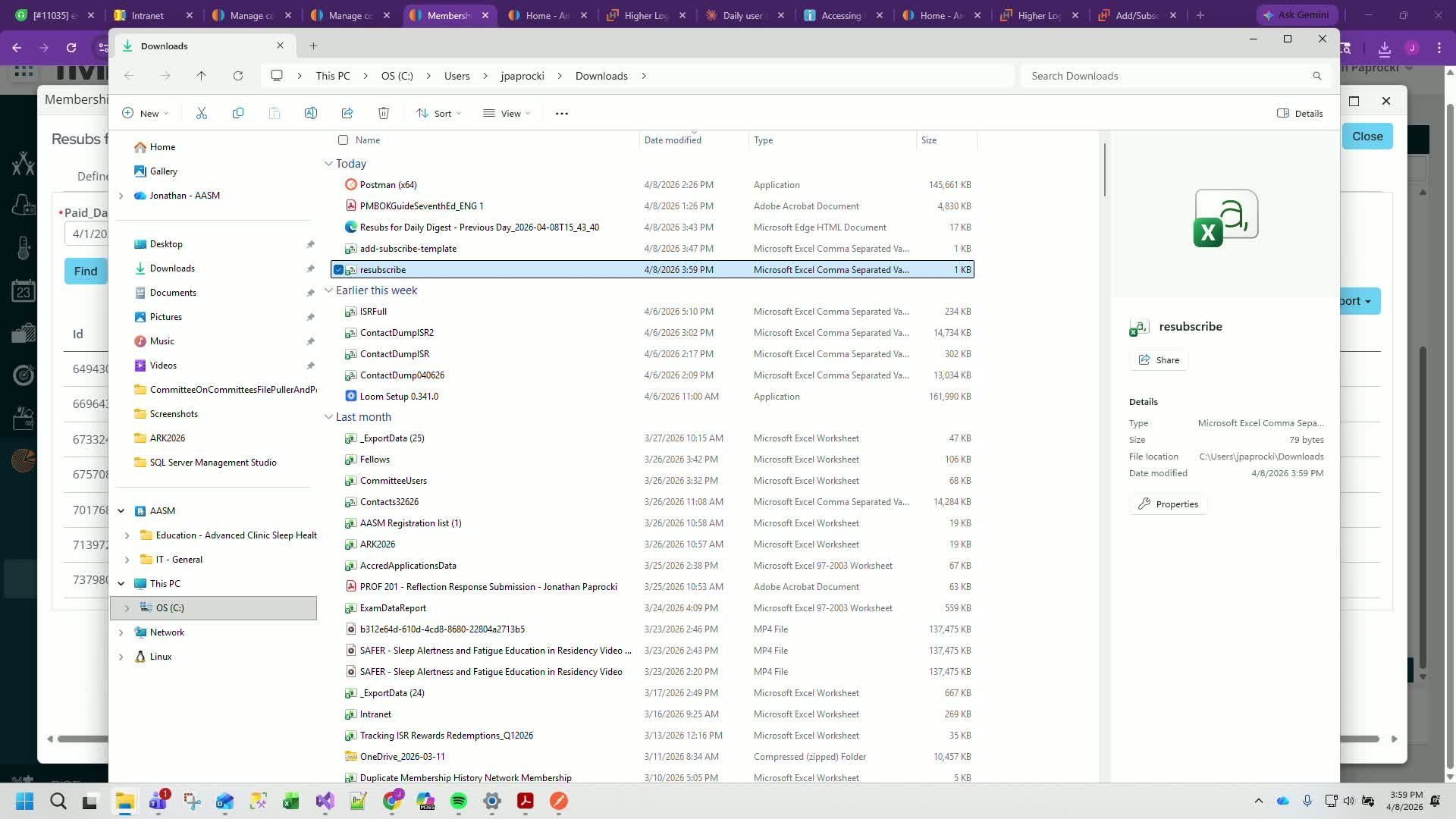
Open the resubscribe template CSV file.
Rename the ID column to 'LegacyContact / ID'.
Save and close the file.
Step 6: Access Higher Logic 3:06
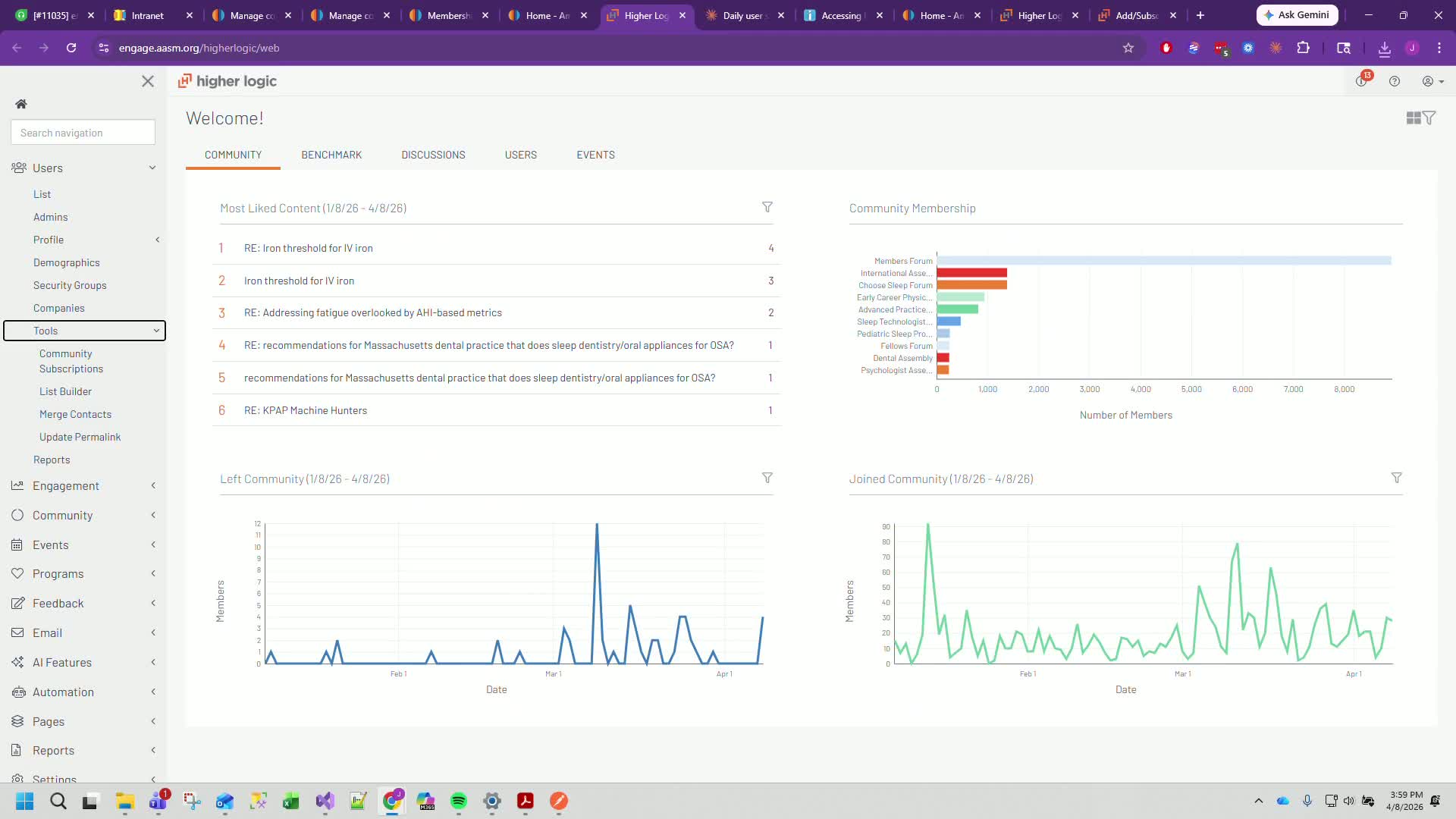
Go to Engage (Higher Logic).
Navigate to Community > Tools > Add / Subscribe to Community.
Step 7: Select the Members Forum 3:20
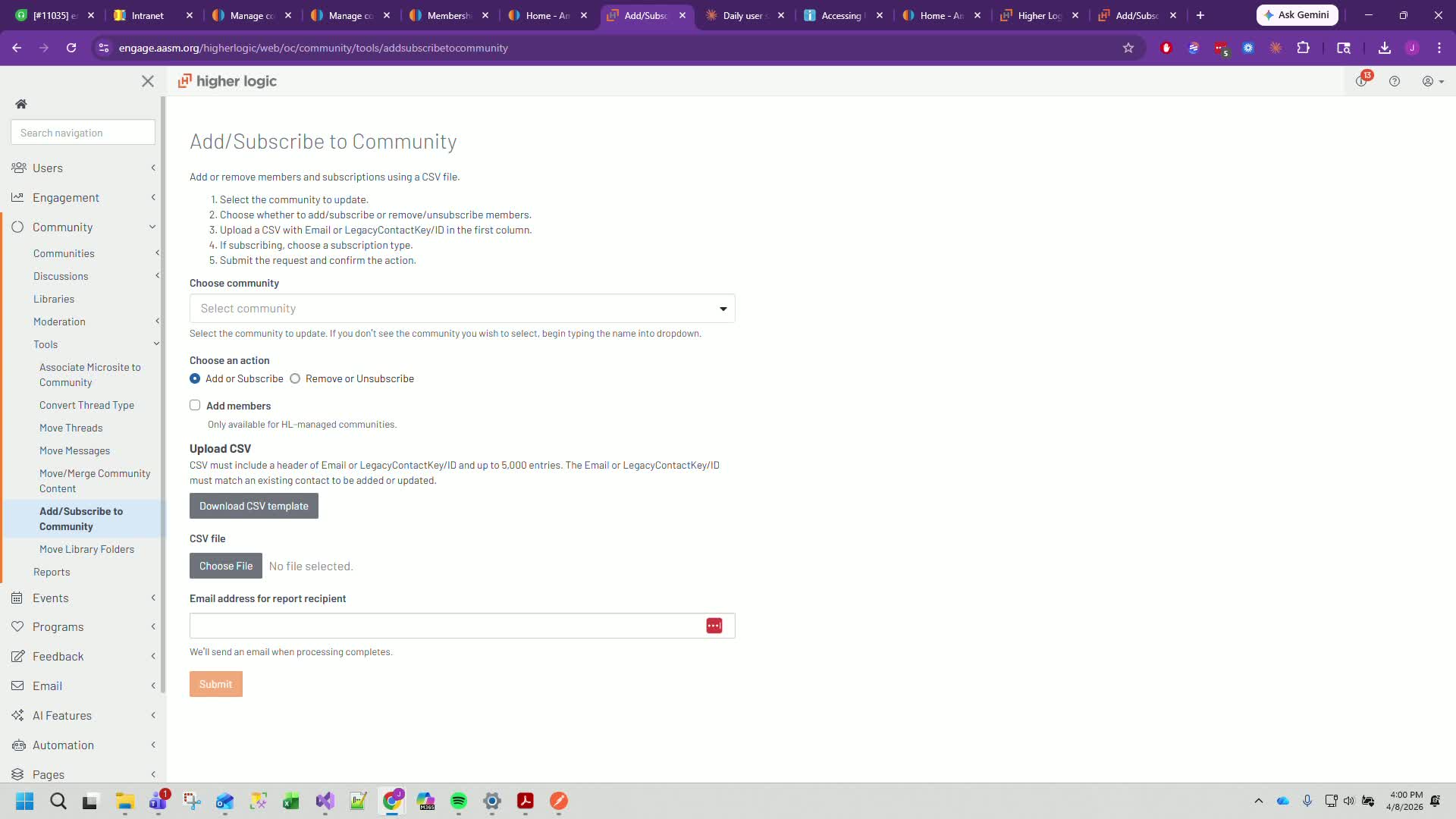
Choose the Members Forum for the subscription update.
Ensure 'Add or Subscribe' is checked.
Step 8: Configure Subscription Settings 3:30
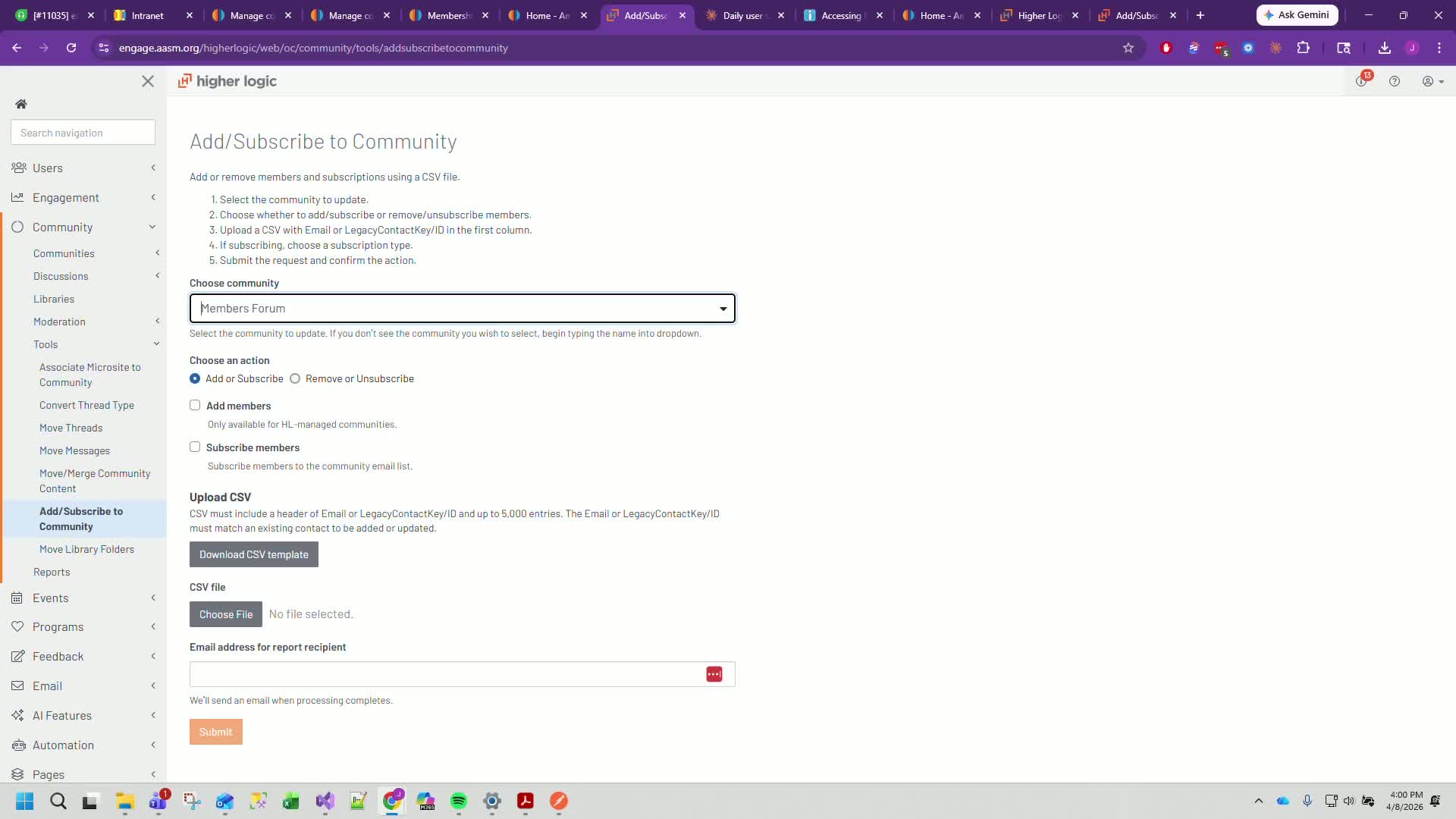
Do not check 'Add Members' as they are automatically added upon renewal.
Check the options for 'Overwrite Subscriptions', 'Overwrite Unsubscriptions', 'Daily Digest', 'Daily Consolidated Digest', and 'Weekly Consolidated Digest'.
Step 9: Choose the Resubscribe Template 4:10
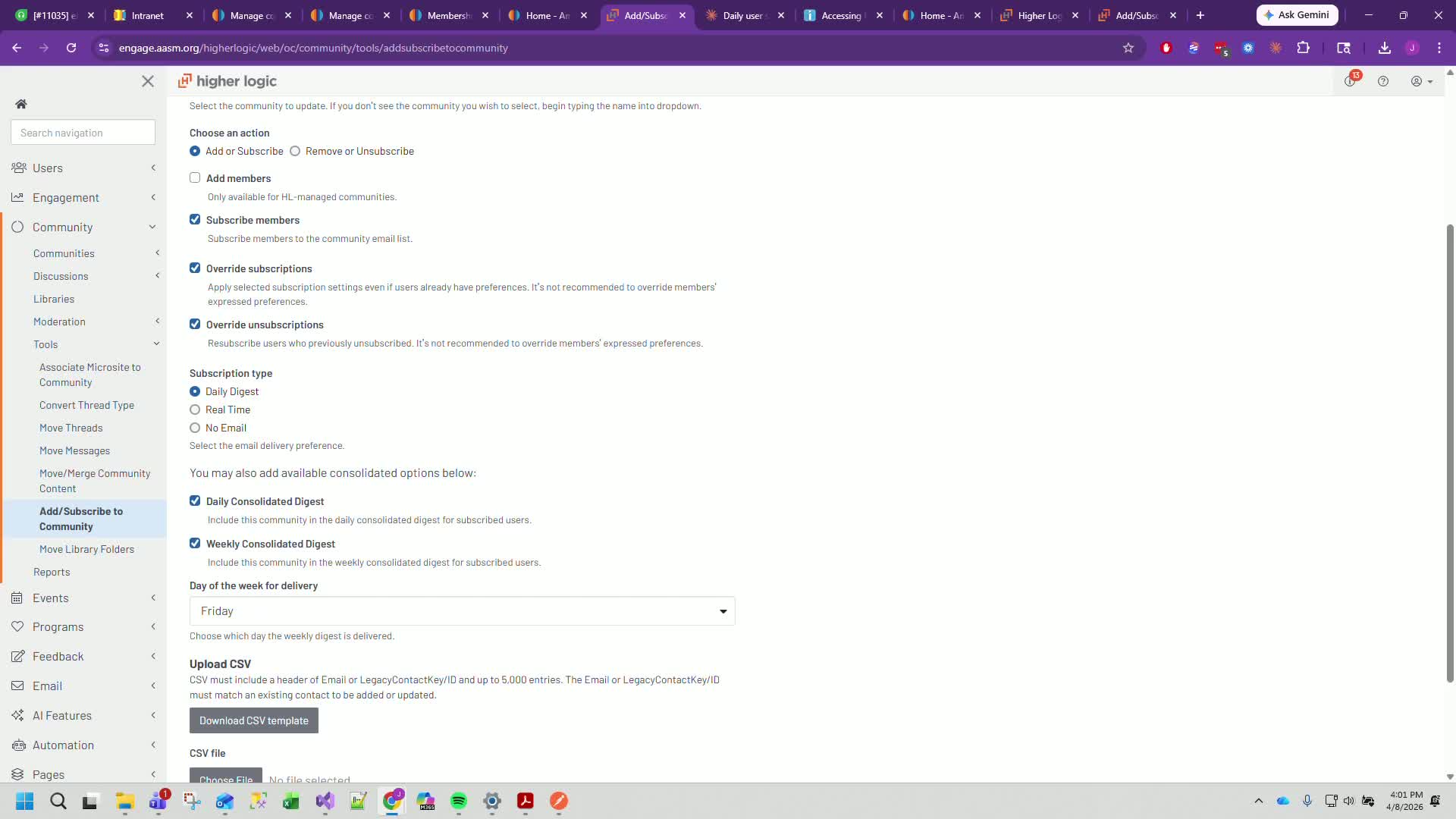
Select the resubscribe template from your Downloads folder and click 'Open'.
Step 10: Set Up Email Notification 4:23
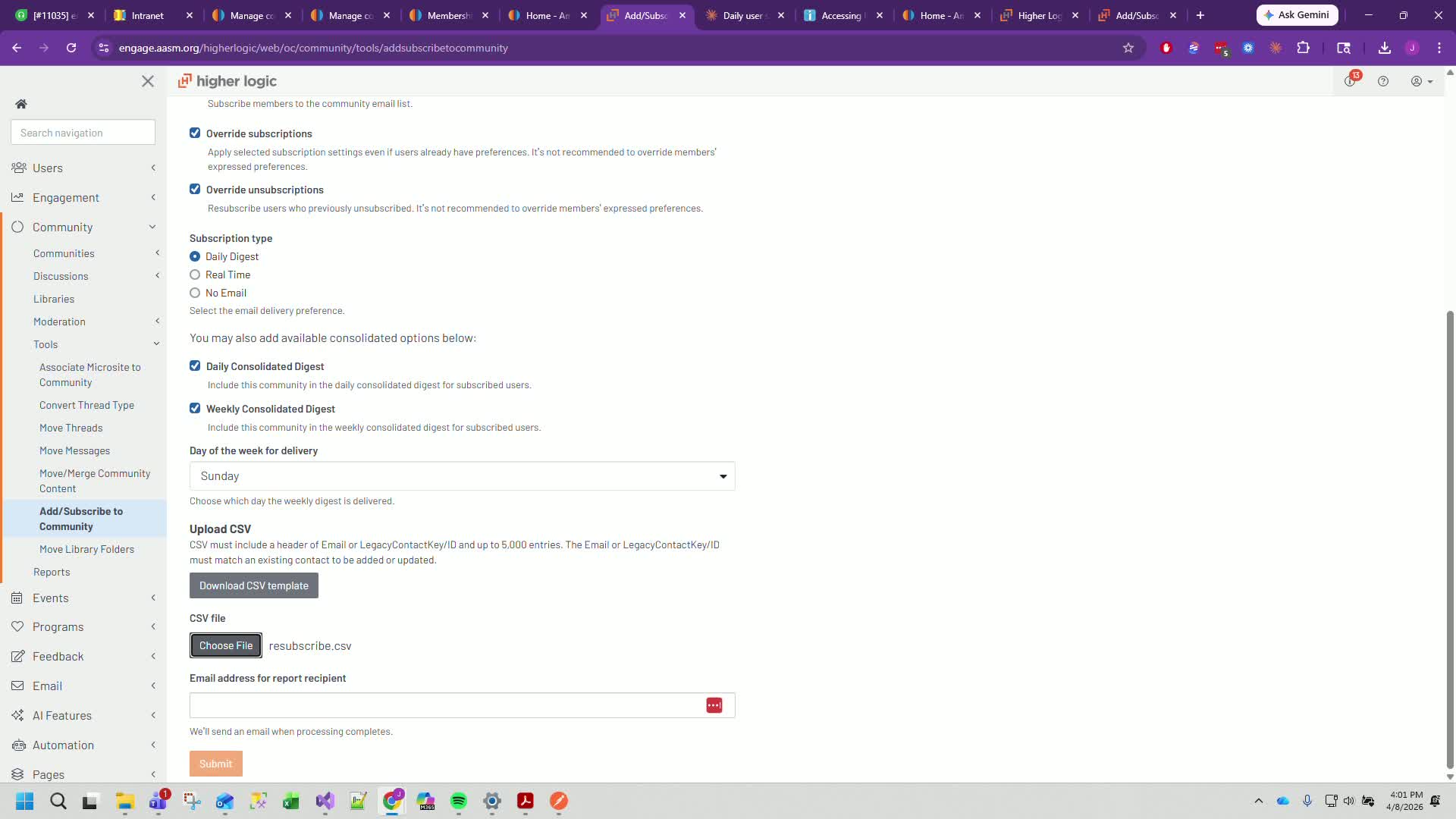
Enter your email address to receive a notification once the process is complete.
Click 'Confirm' to finalize the subscription update.
Cautionary Notes
Ensure that the date range does not include the current date to avoid missing any reinstated members.
Be aware that overwriting subscriptions may trigger warnings, but they can be ignored as they are expected.
Tips for Efficiency
Regularly check the membership reports to stay updated on reinstated members.
Save the resubscribe template in an easily accessible location for quick access during future updates.
Was this article helpful?
That’s Great!
Thank you for your feedback
Sorry! We couldn't be helpful
Thank you for your feedback
Feedback sent
We appreciate your effort and will try to fix the article