Creating a Promotional Code in IMIS for Membership
Objective
This SOP outlines the steps to create a promotional code in IMIS for a membership, ensuring clarity and ease of execution for team members.
Key Steps
1. Navigate to Commerce Section 0:00
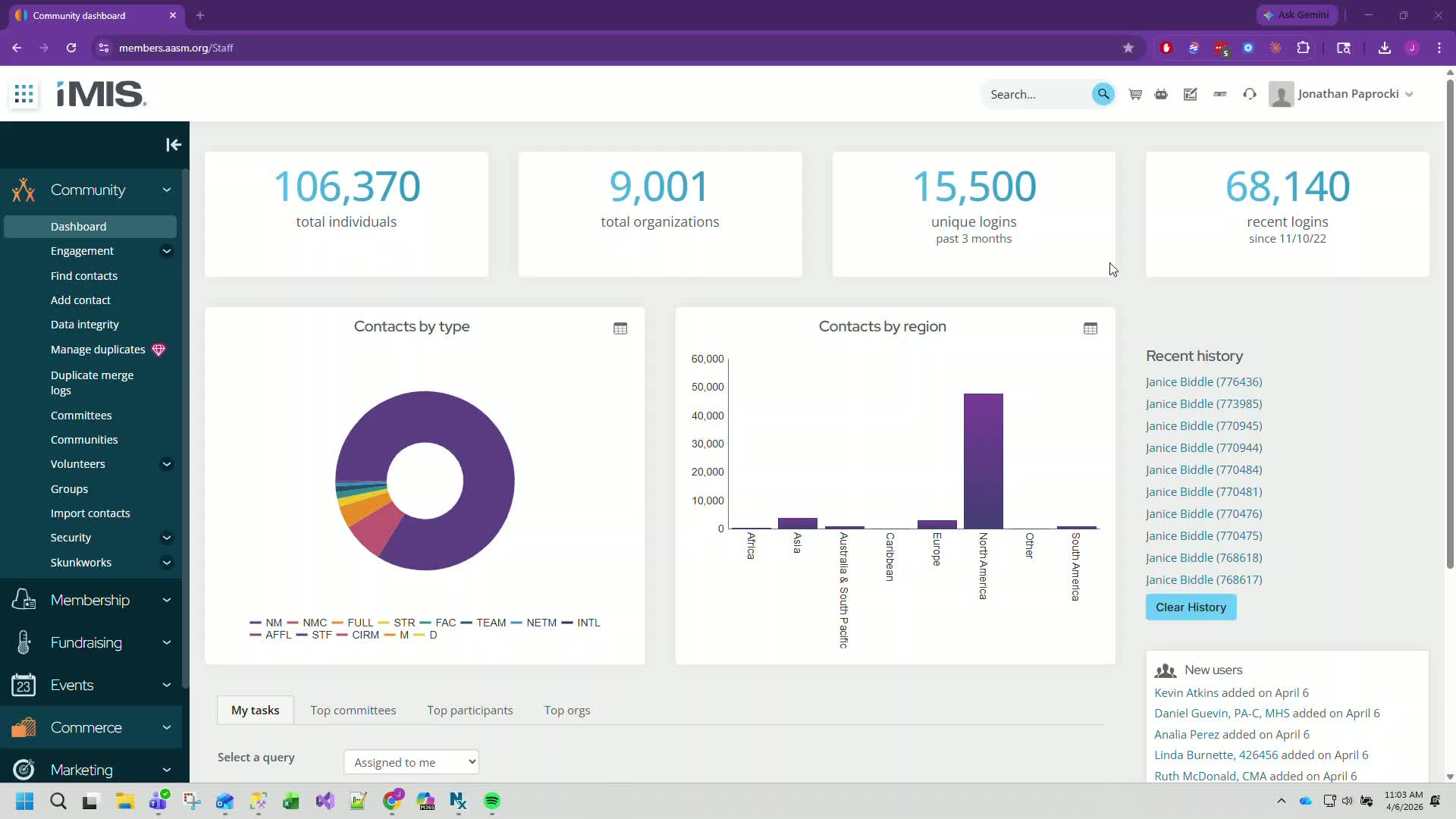
Open IMIS.
Go to the Commerce section.
2. Access Promotions 0:15
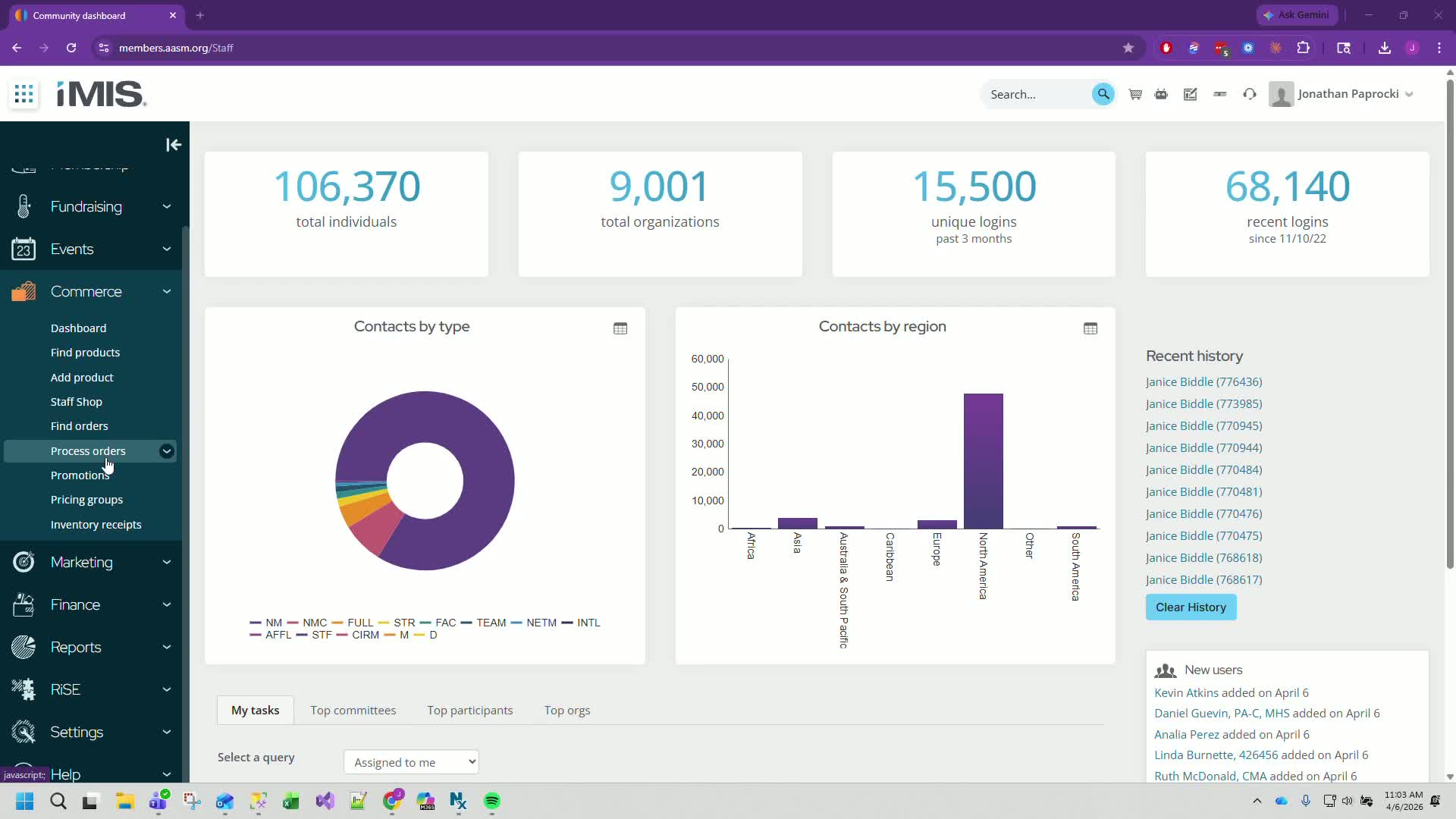
Click on Promotions.
3. Add a New Promotion 0:29
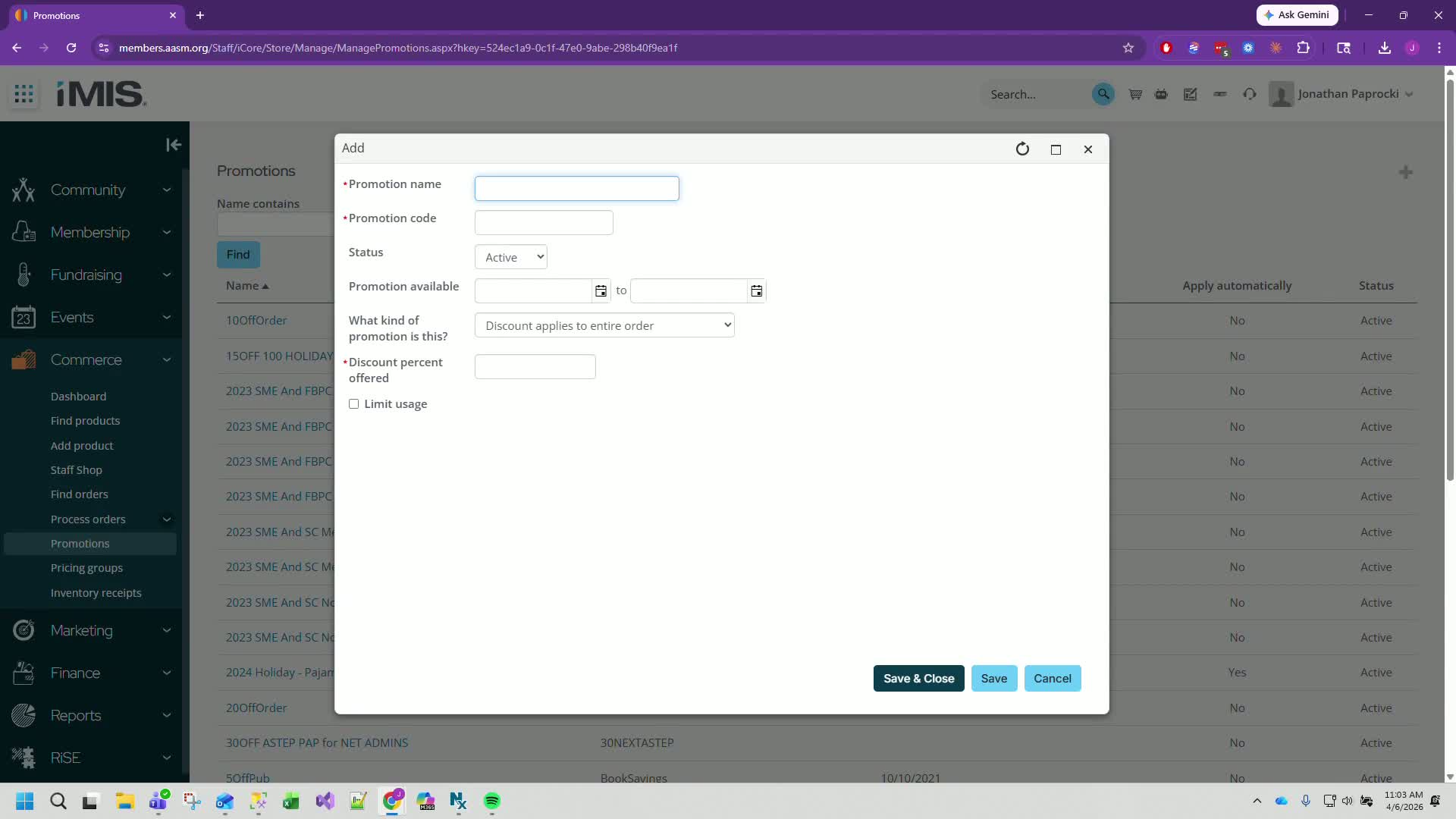
Click the plus button to add a new promotion.
4. Enter Promotion Details 0:43
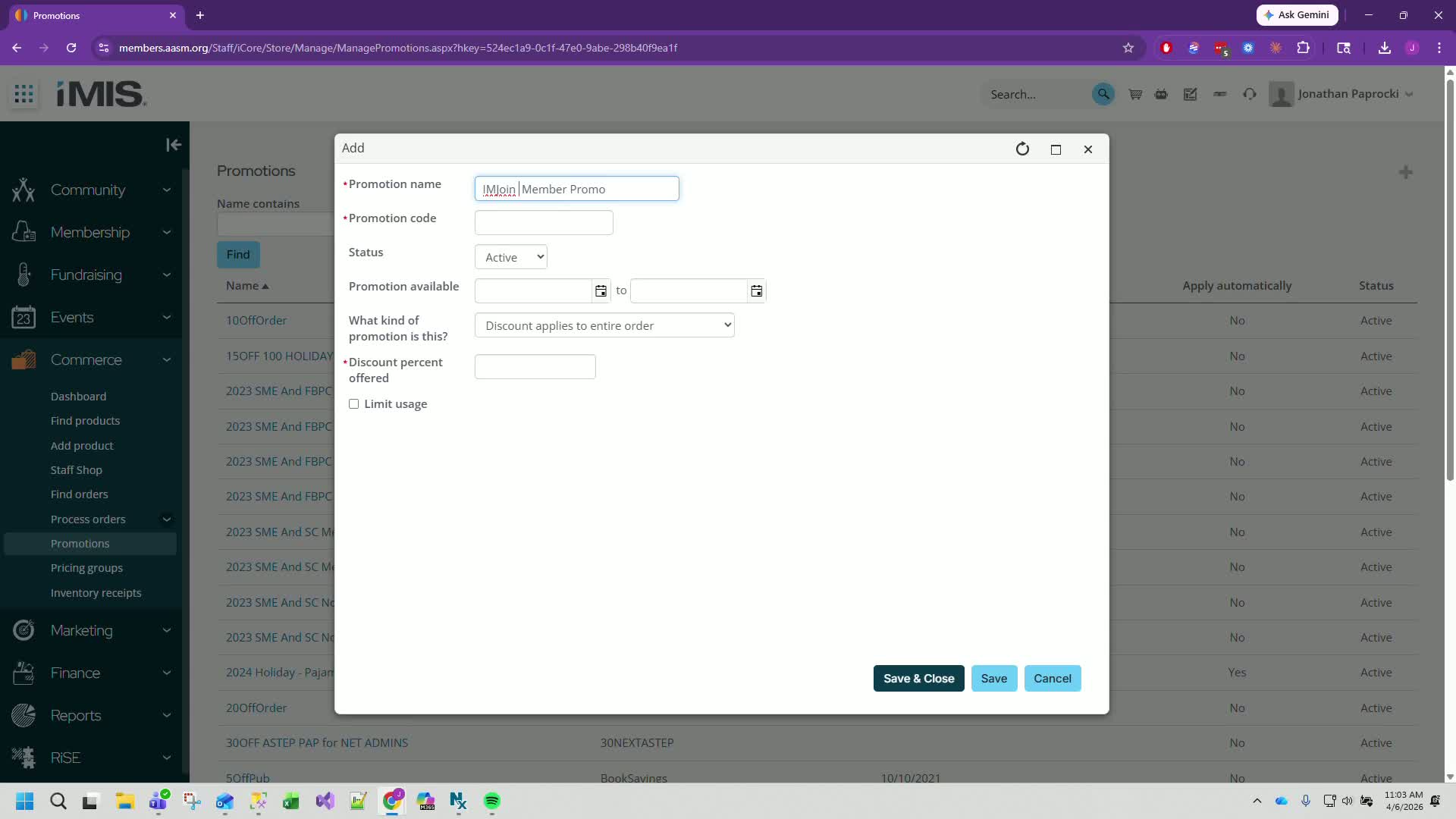
For the promotion name, enter Member Promo.
Set the promo code as IMJOIN.
Leave the status as active.
Set the start date to April 13th and the end date to May 8th.
5. Set Discount Amount 1:03
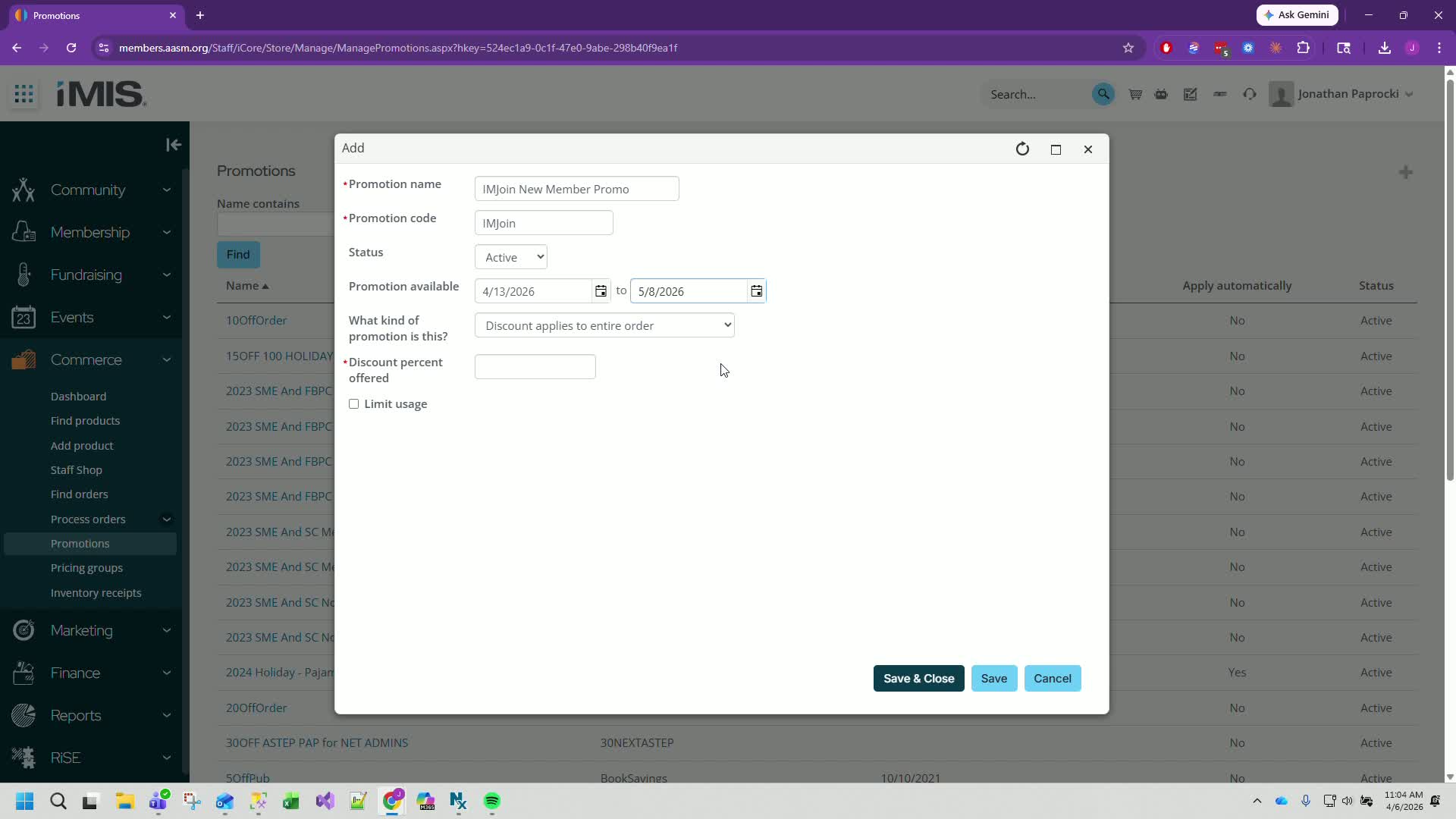
Enter a discount amount of 10%.
6. Limit Usage 1:17
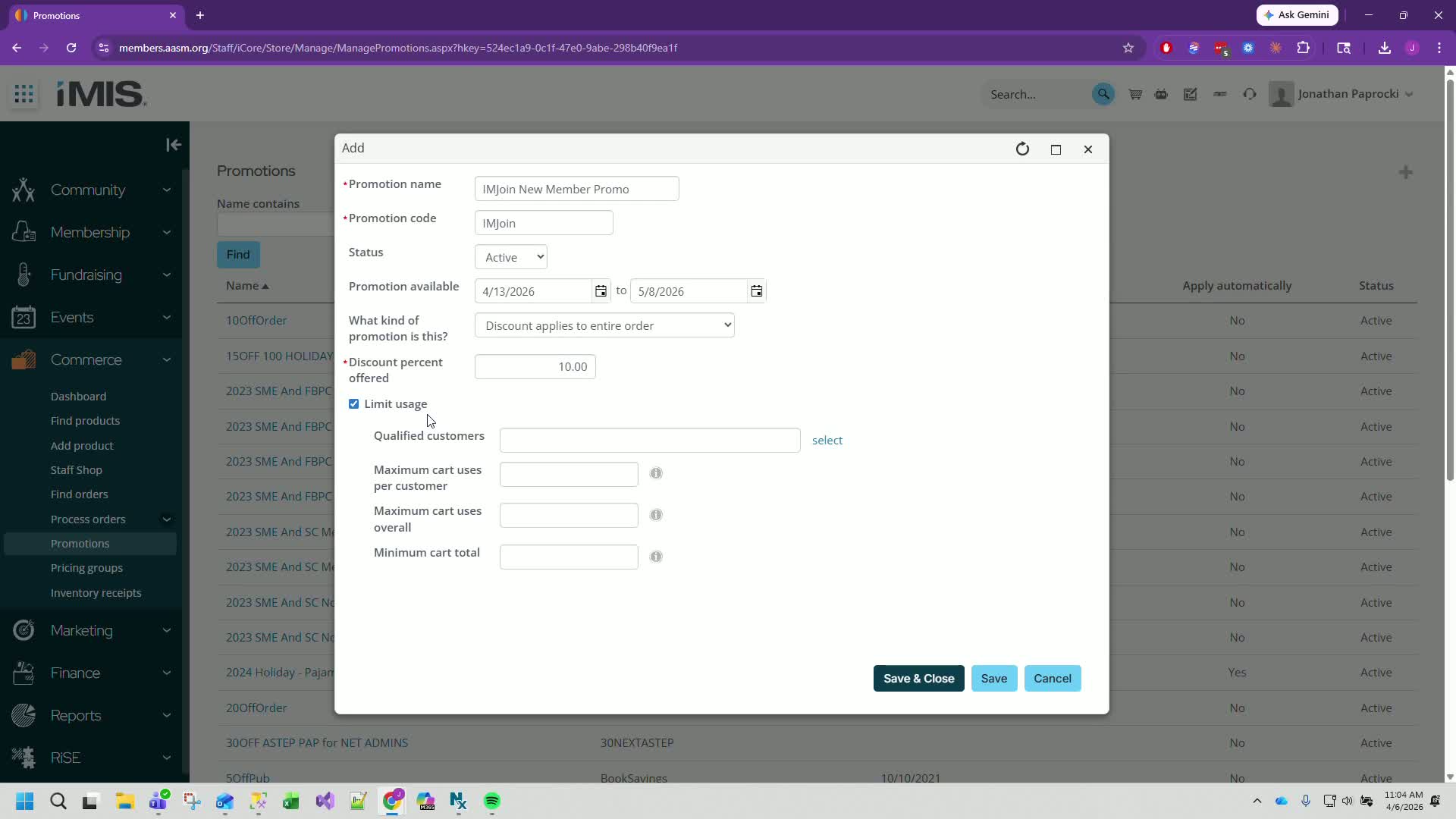
Ensure the promotion is limited to specific customers.
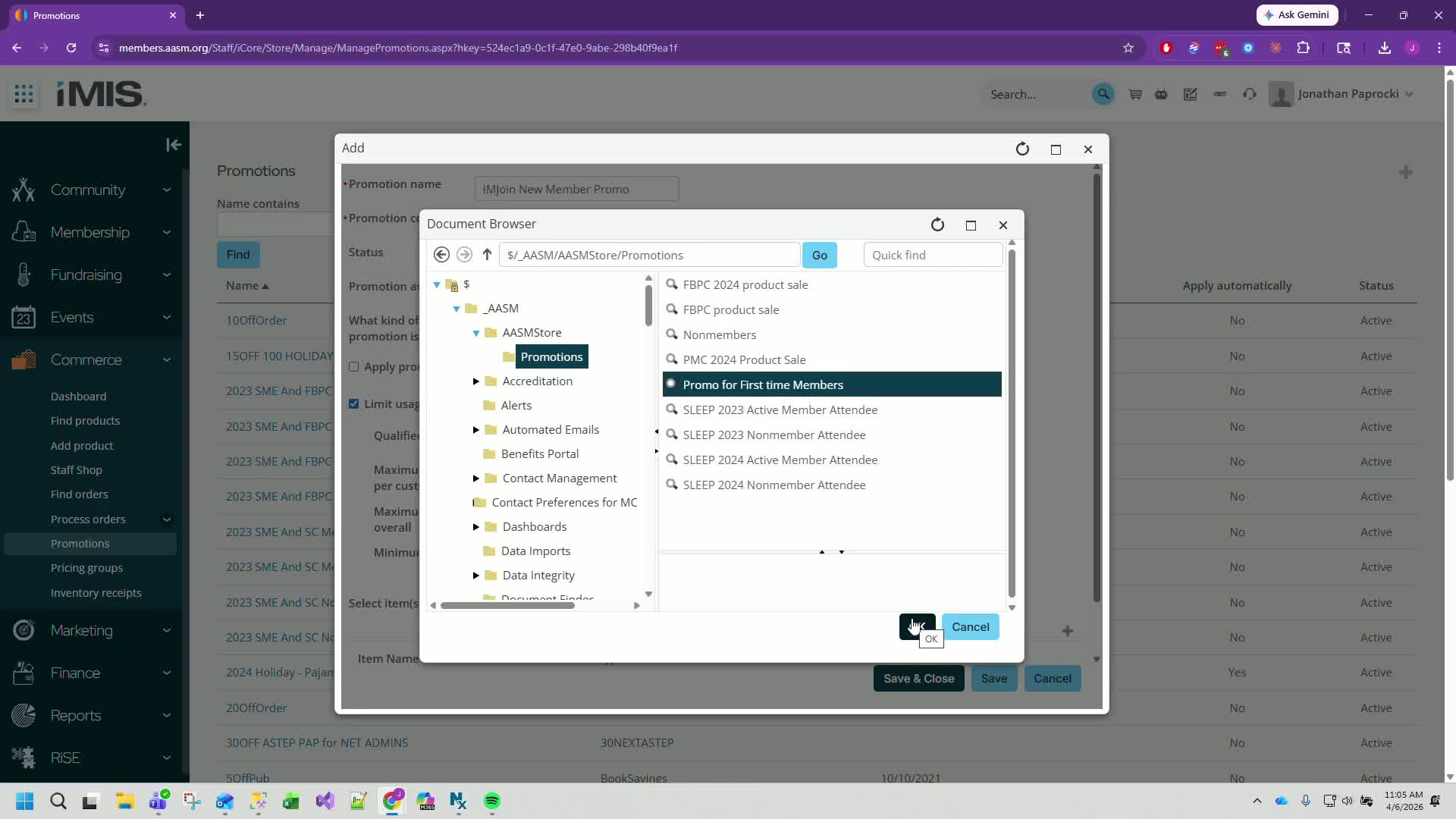
7. Select Qualified Customers 1:42
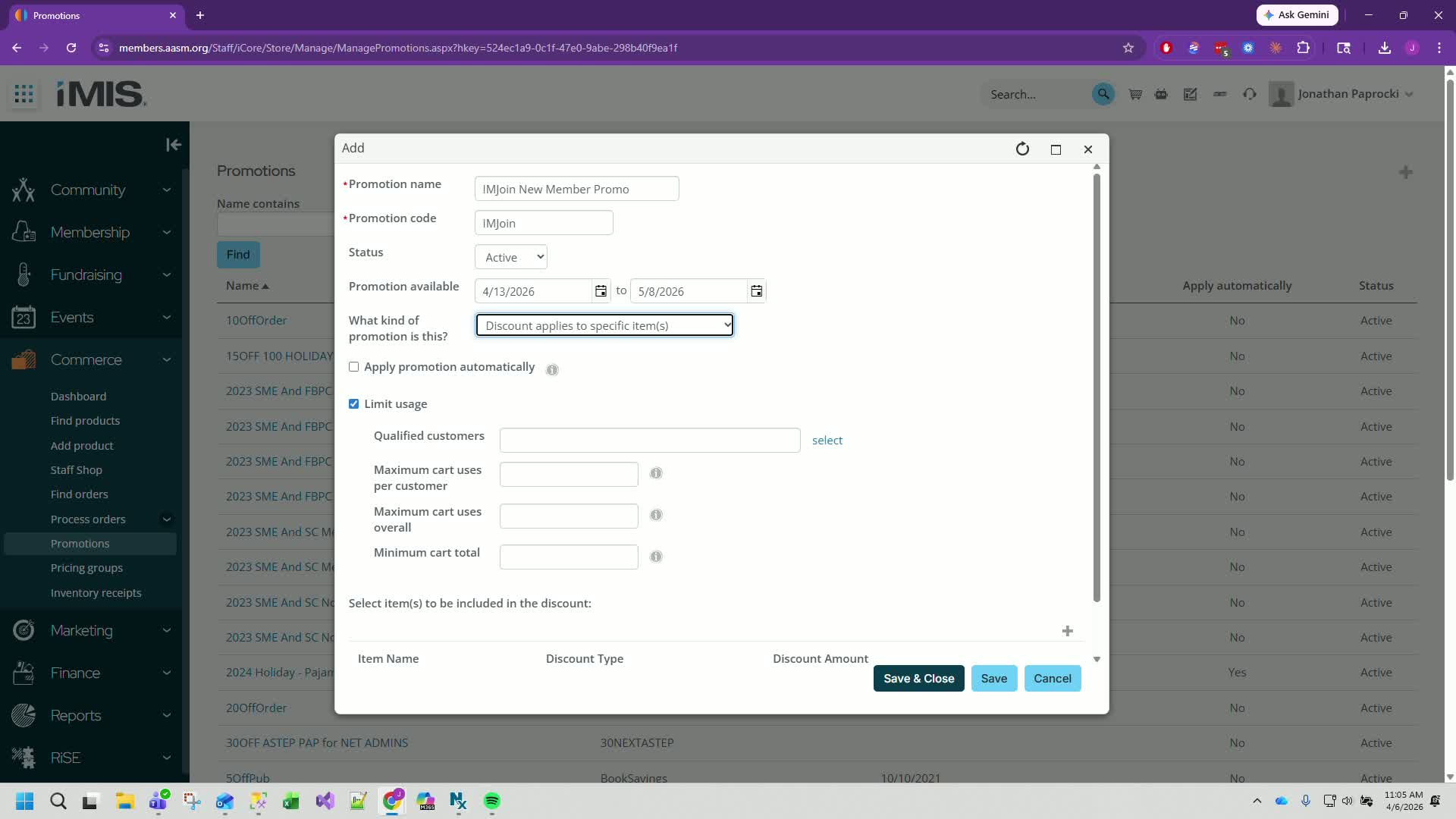
Use the existing IQA for new customers.
Navigate to the root: ASM > AASM Store > Promotions > promo for first-time members.
8. Add Membership Items 2:20
Add the items for the promotion (e.g., one year and two year affiliate memberships).
Follow previous discount percentages (e.g., 25% off).
9. Save Progress 3:46
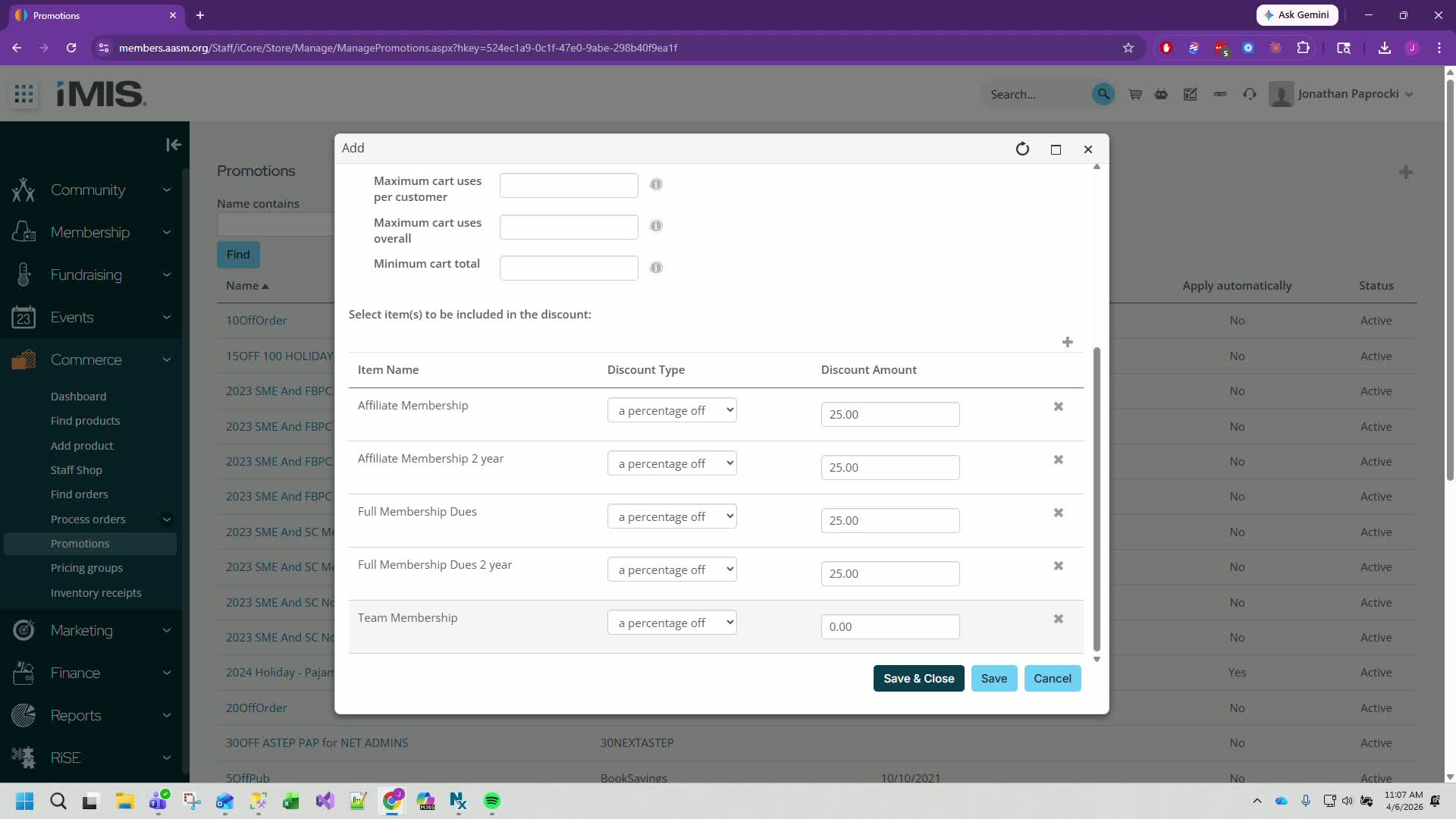
Click Save to refresh and verify all entries.
10. Check for Existing Promo Codes 4:19
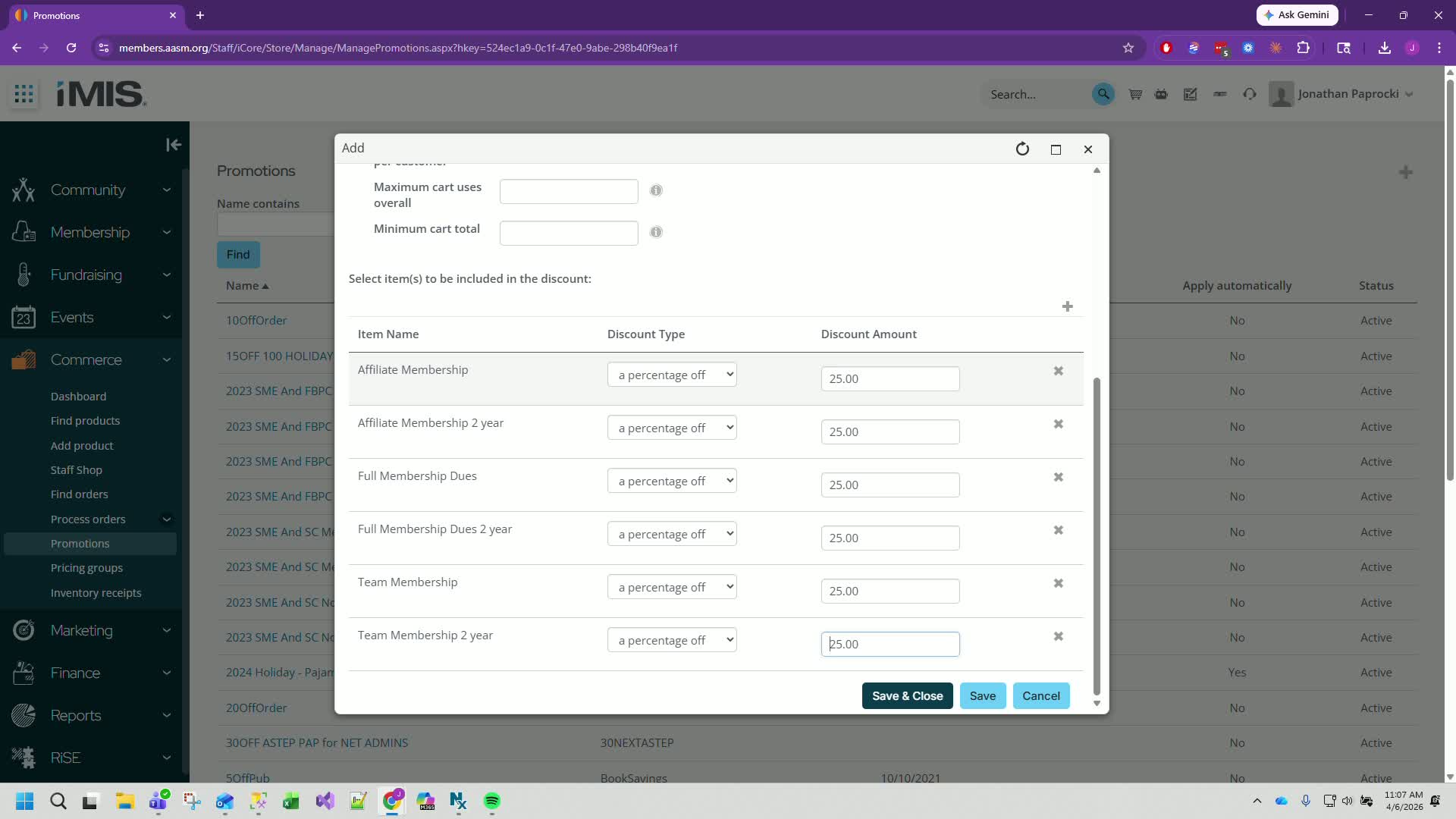
If the promo code already exists, modify it (e.g., add a year to the code).
11. Finalize and Close 4:39
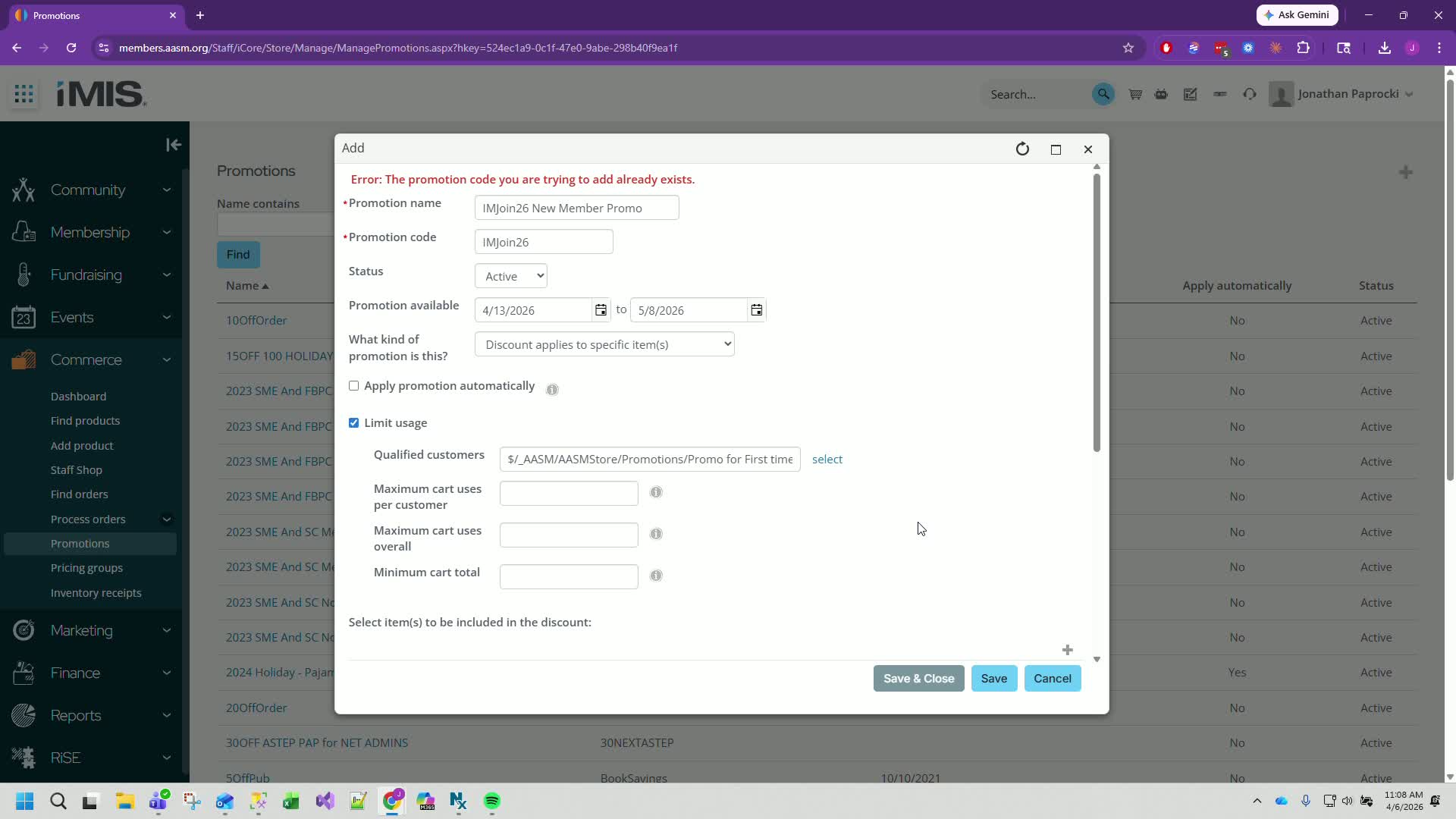
Click Save and Close to complete the creation of the membership promo code.
Cautionary Notes
Ensure that the promo code is unique to avoid conflicts with existing codes.
Double-check the discount percentages to align with previous promotions.
Tips for Efficiency
Save your progress frequently to avoid losing any data.
Familiarize yourself with the existing IQA to streamline the selection of qualified customers.
Link to Loom
Was this article helpful?
That’s Great!
Thank you for your feedback
Sorry! We couldn't be helpful
Thank you for your feedback
Feedback sent
We appreciate your effort and will try to fix the article