How to embed a video uploaded to Amazon S3 onto a #SleepTechnology page
*Be sure to have the Amazon S3 video link available before attempting to embed the video to the site
1. Go to the post that you want to edit and select "Edit Post"
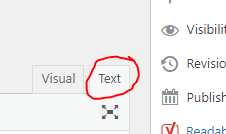
2. Click on "Text" in the right side of the editor pane to see the code view in post editor
3. Copy the underlined code below (found at bottom of this document) and just after the SUMMARY portion, paste the code
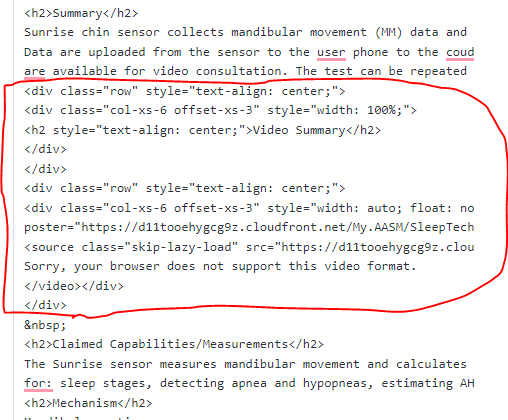
4. Copy and paste the video URL received from Amazon S3 into the code section that says "Insert Video URL Here" (URL from IT)
5. (IT can do this) Download the attached Word file to update the cover photo for the video and save to Amazon S3
6. Insert the image URL received from IT into the "Insert poster url" portion of the code
7. preview/Save changes
CODE TO COPY:
<div style="text-align:center;" class="row">
<div style="width: 100%;" class="col-xs-6 offset-xs-3">
<h2 style="text-align: center;">Video Summary</h2>
</div></div>
<div class="row" style="text-align:center;">
<div class="col-xs-6 offset-xs-3" style="width:auto; float:none;">
<video class="skip-lazy-load sleep-tech-clip" style="width: 75%;" poster="INSERT POSTER URL HERE" controls="controls" controlsList="nodownload">
<source class="skip-lazy-load" src="INSERT VIDEO URL HERE" type="video/mp4" />
Sorry, your browser does not support this video format.
</video></div></div>

Was this article helpful?
That’s Great!
Thank you for your feedback
Sorry! We couldn't be helpful
Thank you for your feedback
Feedback sent
We appreciate your effort and will try to fix the article