Sleep ISR customers that are on "Send Invoice" subscription plans cannot update their subscription on their own. They must work with AASM staff to modify for them on backend of Stripe. Below are steps to make those modifications. Please note that this applies to customers that have a subscription that is in a fully paid state. If there's an existing open invoice that they would like to make a modification to then it makes sense to cancel the old subscription in this scenario.
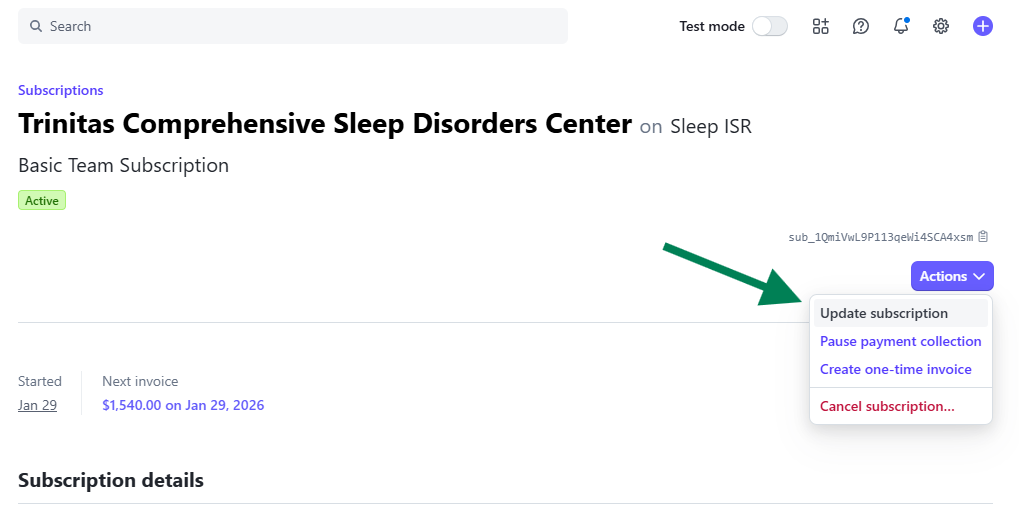
Step 1: Go to "Update Subscription" on customer account
Step 2: If changing to a different subscirption plan then remove the old product. If just updating the amount of users change the quantity. 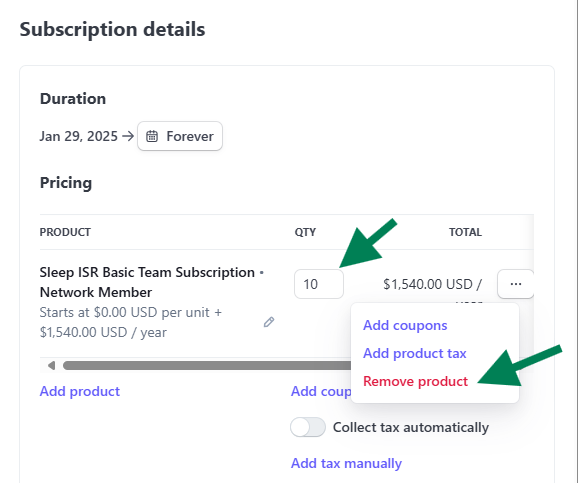
Step 3: If changing to a new subscription plan click "Add product" link and find the subscription plan they are changing to.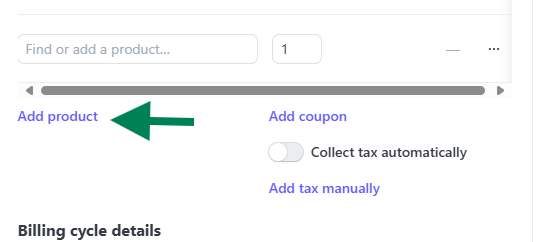
Step 4: Check "Prorate Changes" then "Charge proration amount immediately"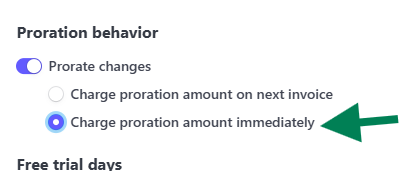
Step 5: Click "Update subscription"
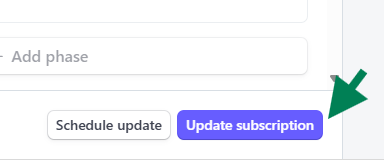
At this point a new invoice will be generated with the prorated difference.
Was this article helpful?
That’s Great!
Thank you for your feedback
Sorry! We couldn't be helpful
Thank you for your feedback
Feedback sent
We appreciate your effort and will try to fix the article