Link to Loom
https://loom.com/share/679d2011c6154a8a87f5259fc01aa8fb
Objective
Use this procedure when a Shopify purchase does not automatically create an activity record in IMS. The goal is to manually add the missing record so product access and order history reflect the purchase correctly.
Key Steps
1. Confirm the activity record is missing 0:00
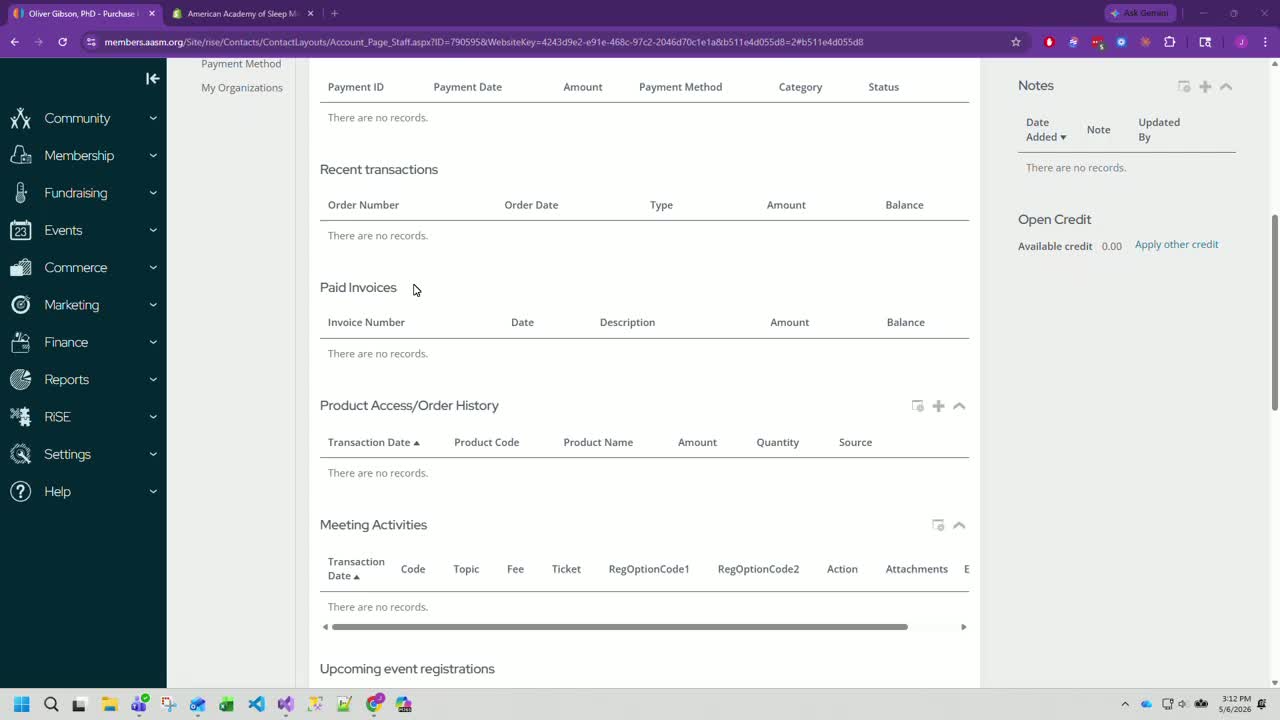
Open IMS and locate the customer’s account.
Verify that a Shopify purchase occurred but no activity record was created.
Check the Product Access > Order History area to confirm the history is blank or incomplete.
Use the customer’s order details to identify the missing purchase information.
2. Open the customer’s order details and identify purchase information 0:26
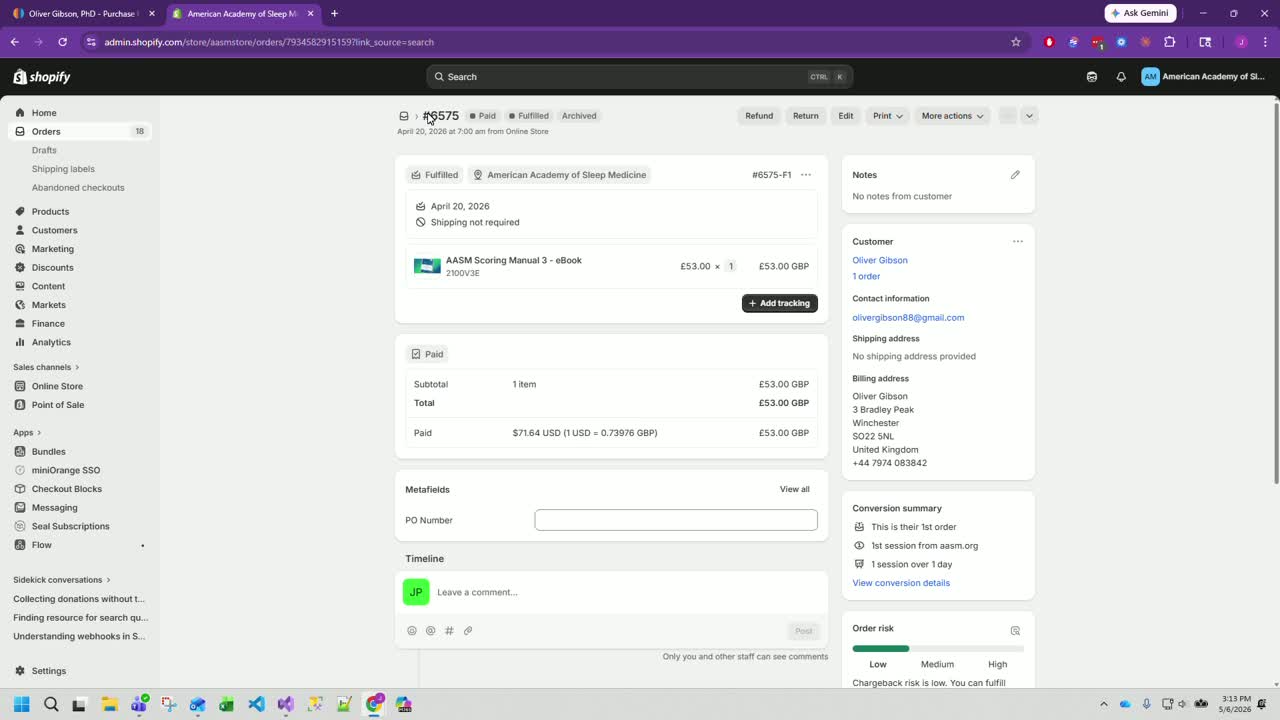
Pull up the customer’s order in IMS or the relevant order source.
Confirm the product purchased, including:
Product name
Product code
Amount paid
Quantity purchased
Use the order details as the source of truth before creating the activity record.
3. Add a new activity record from Order History 0:37
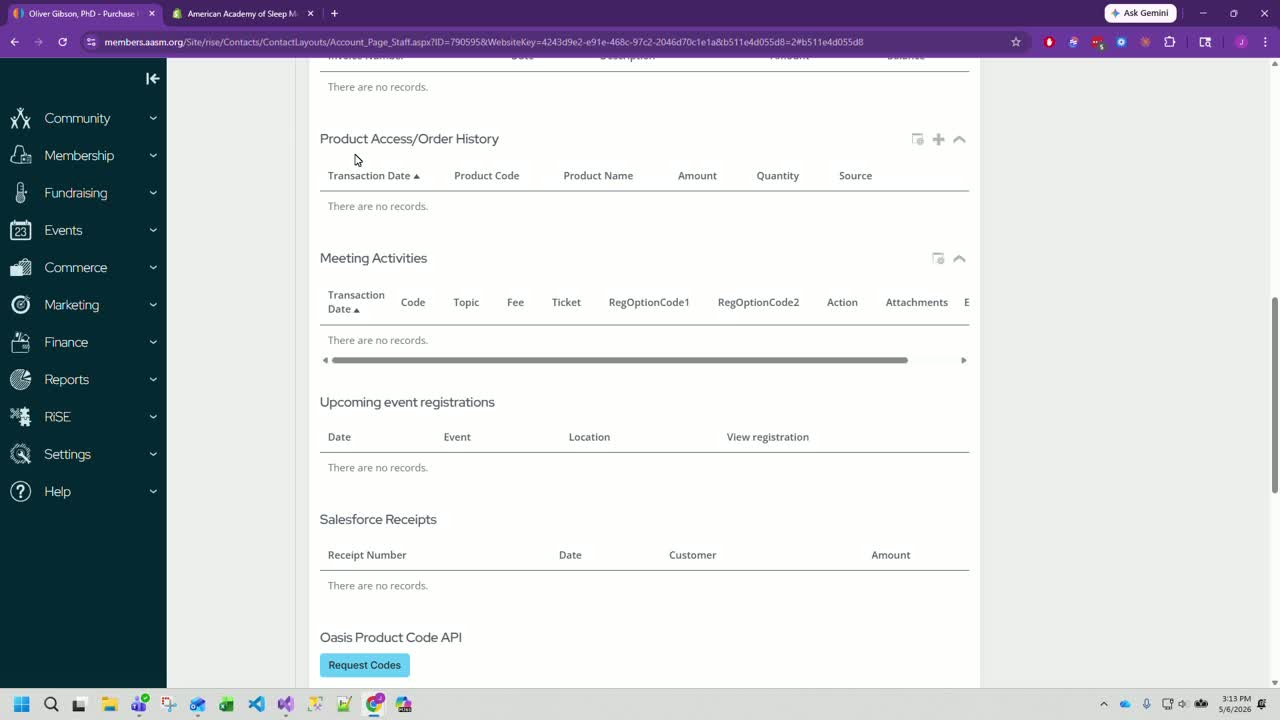
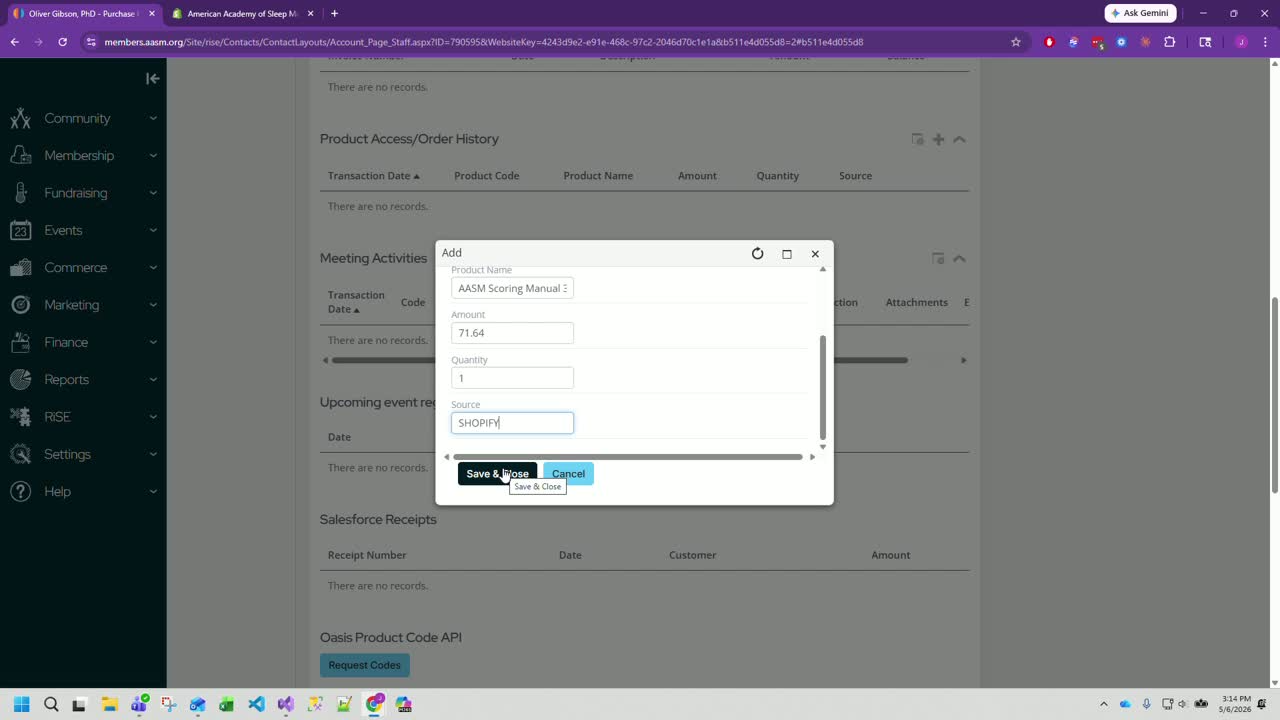
In the customer record, go to Product Access > Order History.
Click the plus (+) button to create a new activity record.
Enter the purchase date.
Enter the product code.
Enter the product name.
Enter the amount paid.
Enter the quantity purchased.
4. Set the source to Shopify and save the record 1:13
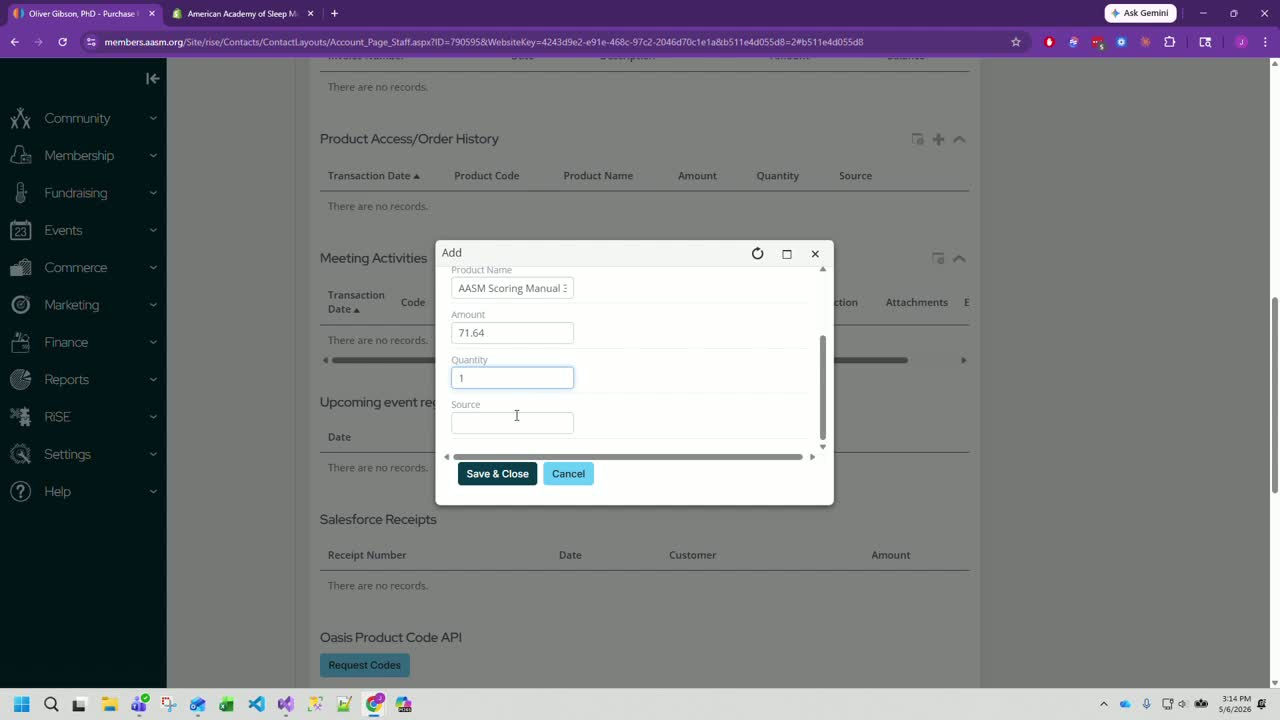
Set the Source field to Shopify.
This step is critical because IMS uses the source value to determine how the activity record should be interpreted.
Click Save and Close to create the record.
Confirm the new activity record appears in the order history after saving.
5. Verify the record is visible and functioning 1:38
Refresh or review the customer’s order history to ensure the activity record is displayed.
Confirm the record shows the correct product, amount, and source.
If needed, request codes or perform any follow-up checks to ensure the system recognizes the new activity record.
Cautionary Notes
Do not skip the Source field. If the source is not set to Shopify, IMS may not recognize the record correctly.
Make sure the product details match the actual order exactly, especially the product code.
Only add a manual record when the activity was not created automatically.
Verify the customer and order before saving to avoid creating records on the wrong account.
Tips for Efficiency
Keep the Shopify order open in one tab and IMS open in another to copy details quickly.
Use a consistent checklist for date, product code, product name, amount, quantity, and source.
After saving, immediately verify the record appears to catch errors early.
If this issue happens often, consider documenting common product codes and names for faster entry.
Was this article helpful?
That’s Great!
Thank you for your feedback
Sorry! We couldn't be helpful
Thank you for your feedback
Feedback sent
We appreciate your effort and will try to fix the article
